
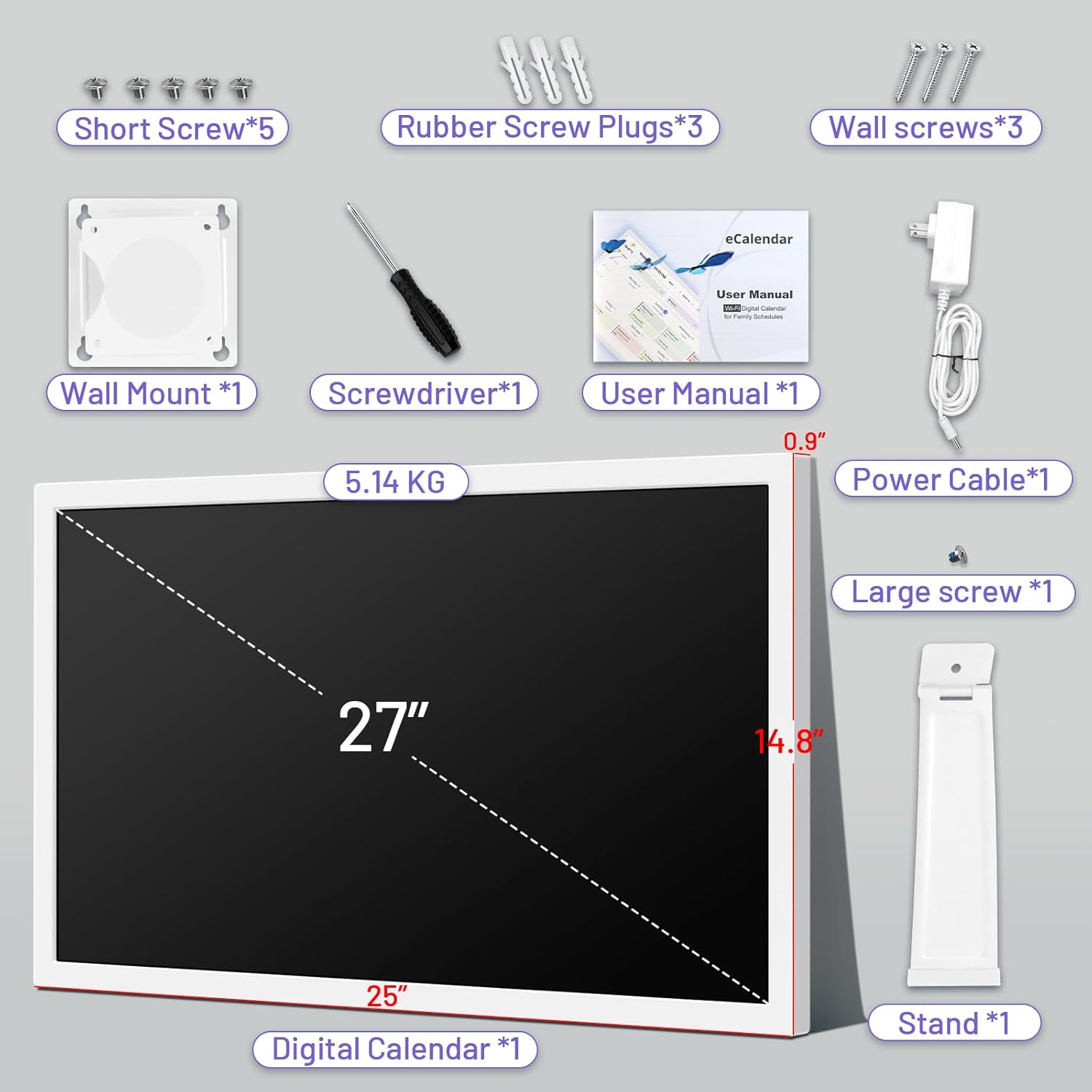


BQQJDD 27 inch Smart Calendar Max, Digital Calendar and Chore Chart
Wall-mountable family organiser with touchscreen, task rewards, and calendar sync
The BQQJDD Smart Calendar Max is a large touchscreen family hub that combines shared scheduling, chores, and home routines into one visible display. It supports daily, weekly, and monthly calendar views and can sync with common services like Google, iCloud, and Outlook through a companion app.
Beyond scheduling, it adds task lists with rewards, a meal planner, basic lists, and a digital photo frame mode. With portrait or landscape mounting options, it is built to stay in a central place where households can check plans quickly.

Work & Focus

Home & Living
Full Review & Insights ▼
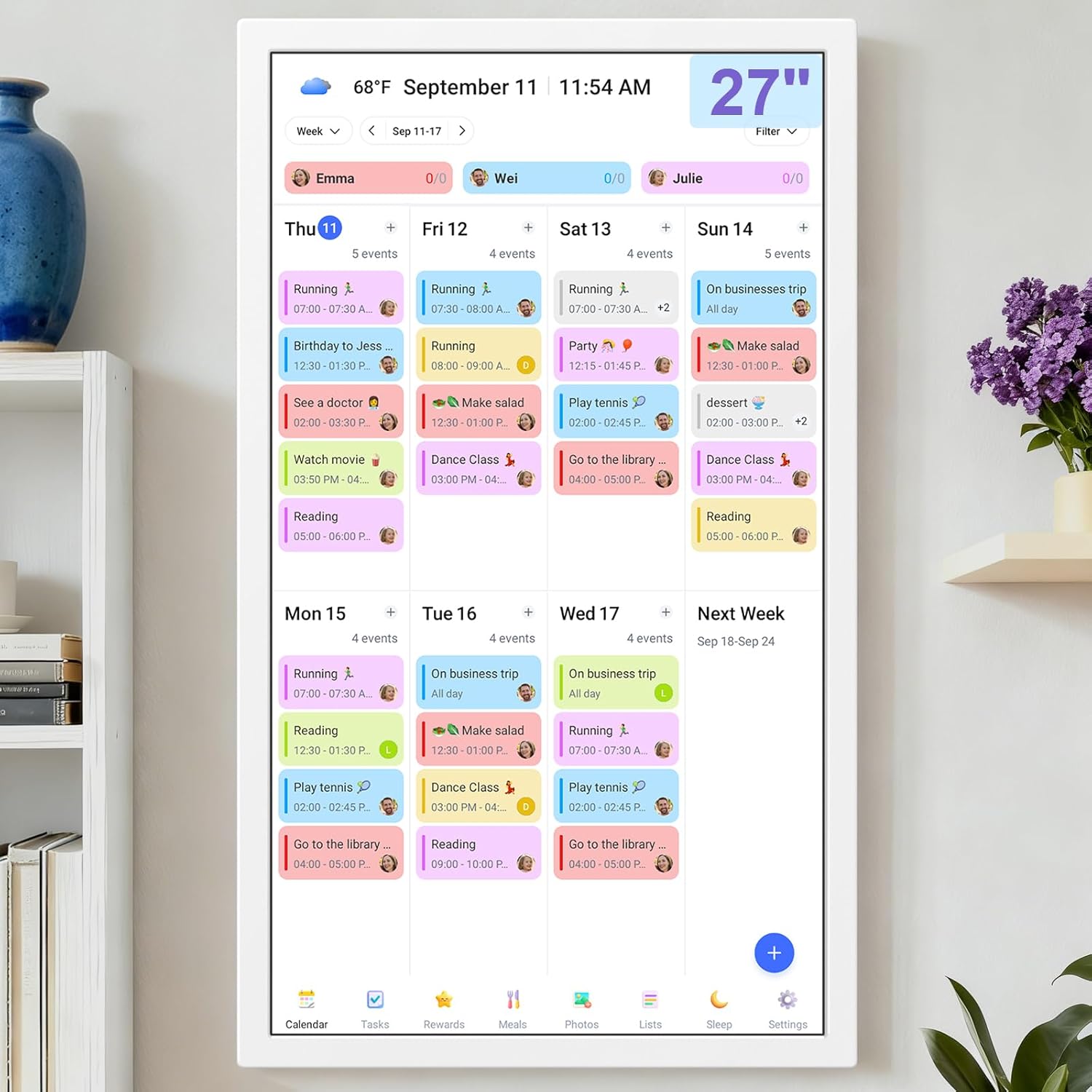
This smart calendar focuses on turning scattered schedules into a single, glanceable dashboard. The large display is a practical advantage for busy households because events, colour-coded profiles, and recurring tasks can be seen from a distance. The interface centres on switching views (day, week, month) and keeping changes synced through a mobile app, which helps prevent duplicated entries across separate family calendars.
The chores feature (often presented as “Tasks”) becomes more useful when paired with a reward structure. Assigning tasks to specific profiles, using icons, and tracking progress can make routine responsibilities easier to follow for children and more visible for adults. The meal planning and list tools add a lightweight home management layer that reduces the need for separate apps or fridge notes. When the calendar is not needed, the photo frame mode keeps the screen functional rather than idle.
In day-to-day use, the device performs best when mounted in a high-traffic location like a kitchen or hallway. However, ownership details matter. Because it typically needs to stay plugged in, cable placement can affect how clean the installation looks. Some users also mention setup or support friction, which can matter for less technical households.
Strengths include the large readable screen, simple syncing, and family-friendly task design. Limitations include always-on power needs, occasional setup quirks, and reliance on support quality when issues occur.
Where it Falls Short
What We Love
✅ Large, easy-to-read display
✅ Syncs with major calendars
✅ Tasks and rewards for routines
✅ Wall or desktop placement
✅ Photo frame and meal planning
Where it Falls Short
❌ Requires constant power cable
❌ Cable routing can look messy
❌ Support response can vary
❌ Some setup details overlooked
Tech
Focus
Scientific Studies that Relate to this Gadget:
No Related Science Articles for this Gadget (yet)

Do Alexa, Siri, and Digital Agendas Actually Help You Get More Done/Stay Organized?

The Impact of Workspace Organization on Focus and Performance

Plan Your Life, Clear Your Mind: How Planning and Journaling Boost Focus and Happiness

↓ Applications & Real-World Use ↓
📅 Shared Family Scheduling
Keeps appointments and activities visible in one place. Supports quick checks without opening phones.
🧹 Chores and Routines
Assigns tasks to profiles and tracks completion. Rewards can reinforce consistency.
🍽️ Meal Planning
Plans meals ahead for the week. Reduces repeated “what’s for dinner” decisions.
🛒 Household Lists
Creates grocery and to-do lists everyone can update. Helps centralise errands.
🖼️ Photo Frame Display
Shows family photos when not actively viewing schedules. Keeps the screen useful between check-ins.
Build Quality & Materials
High Quality Plastic
Dimensions
Different options available to suit customer needs.
Our Take on the Product
The BQQJDD Smart Calendar Max is best suited to households that benefit from a central, always-visible schedule rather than relying on individual phone reminders. Its strongest value comes from calendar syncing, large-screen readability, and the tasks with rewards approach that can make routines more consistent for children and easier to manage for adults.
The extra tools like meal planning, lists, and photo display help it function as a general home hub. However, the experience depends on practical details like permanent power placement, cable routing, and how smoothly initial setup goes. It fits families and shared households, while minimalist users who prefer phone-only organisation may not gain enough benefit from a dedicated display.

DID YOU GET ANY OF THAT?
Read a summarization of this page's content in question-answer format ▽ (click to open and collapse the content)
What makes a digital family calendar different from a phone calendar?
A wall or counter display keeps schedules visible to everyone without opening an app. It helps reduce missed events by making plans part of the shared environment.
Can multiple family members sync their calendars to one screen?
Yes, the device supports syncing through common calendar services so multiple schedules can appear together. Colour-coded profiles help separate people and activities visually.
How does the chore chart and rewards system work in practice?
Tasks can be assigned to specific profiles and marked as completed on the screen or through the app. Rewards add a simple incentive structure that can support routine habits.
Does it need to be plugged in all the time?
It is typically designed as a stationary home display and often requires constant power. Planning cable placement is important for a clean wall installation.
Is it better mounted on a wall or placed on a counter?
Wall mounting works best in high-traffic areas for visibility, while counter placement can be easier if outlets are limited. The best choice depends on where the household naturally checks schedules.
Explore Related Gadgets:
This review covers an Amazon product offered through affiliate links. Gadgifyr may earn a small commission if you buy — at no extra cost to you.

Seller:
Amazon
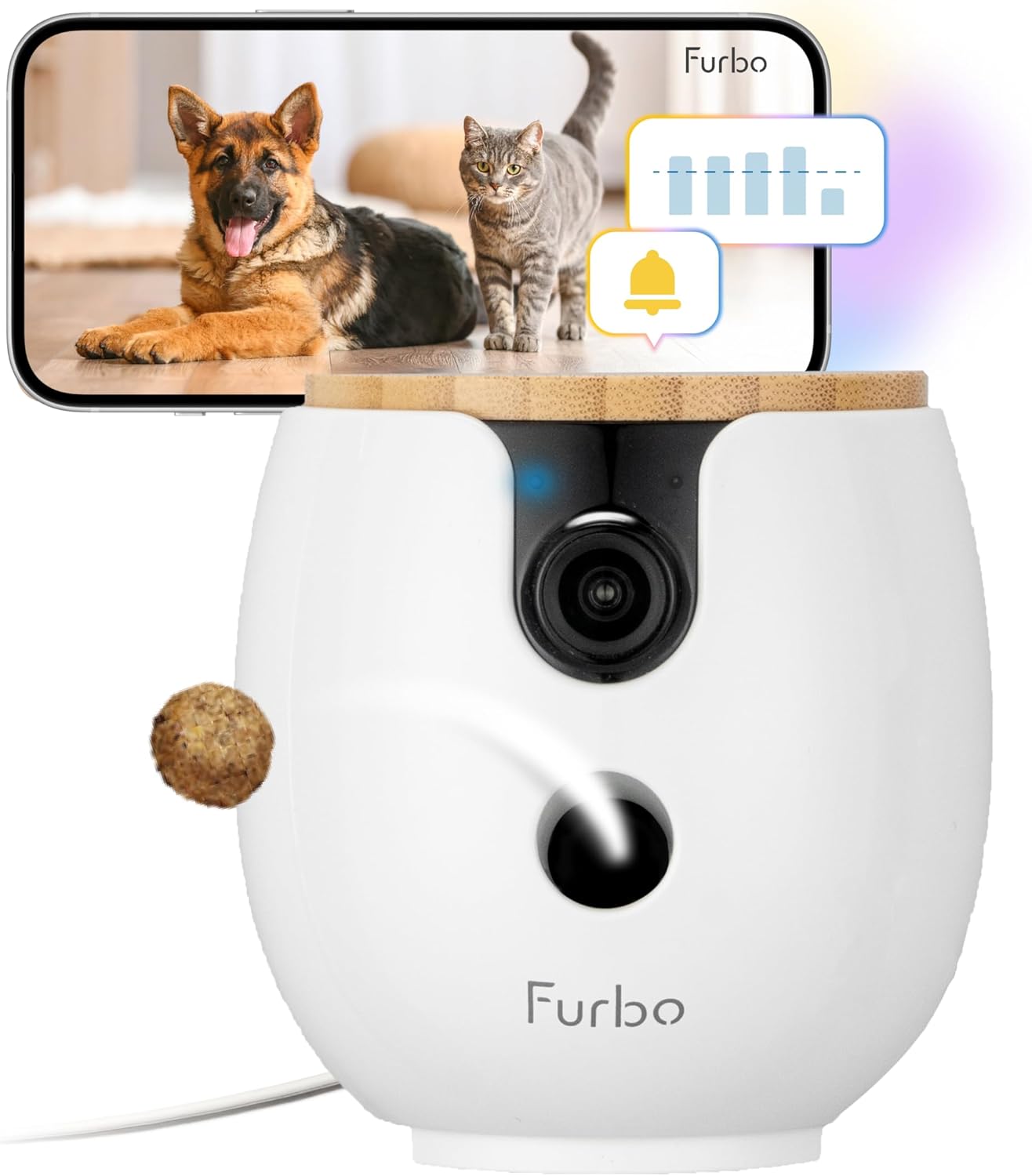
Furbo Mini 360° Pet Camera
Compact 2K rotating pet monitoring camera with treat toss, two-way audio, and subscription-based AI alerts for enhanced behavioral insights

This review covers an Amazon product offered through affiliate links. Gadgifyr may earn a small commission if you buy — at no extra cost to you.
Seller:
Amazon
2PCS Neck Cooling Tube with Cold Insulated Bag
Reusable Wearable Ice Neck Ring Set with Insulated Carry Bag for Summer Heat Relief

This review covers an Amazon product offered through affiliate links. Gadgifyr may earn a small commission if you buy — at no extra cost to you.
Seller:
Amazon
Dreo 25 Inch Indoor Tower Space Heater
A quiet, fast-heating tower heater designed to distribute steady warmth across medium to large indoor rooms with simple remote control.

This review covers an Amazon product offered through affiliate links. Gadgifyr may earn a small commission if you buy — at no extra cost to you.
Seller:
Amazon
LEVOIT Core 300-P Air Purifier
A compact, corded air purifier with AHAM-verified CADR performance, a 3-stage filtration system, and a low-noise Sleep Mode designed to support cleaner air in bedrooms and everyday living spaces.

This review covers an Amazon product offered through affiliate links. Gadgifyr may earn a small commission if you buy — at no extra cost to you.
Seller:
Amazon
SwitchBot Smart Automatic Curtain Opener 2-Pack with Hub 3
Two no-drill curtain motors bundled with Hub 3 for app schedules and Matter-enabled smart home control, designed to move heavier curtains with quieter optional operation.

This review covers an Amazon product offered through affiliate links. Gadgifyr may earn a small commission if you buy — at no extra cost to you.
Seller:
Amazon
SwitchBot Smart Switch Button Pusher
Bluetooth button pusher for rocker switches and one-way buttons with app timers and optional hub voice control
This review covers an Amazon product offered through affiliate links. Gadgifyr may earn a small commission if you buy — at no extra cost to you.
Seller:
Amazon
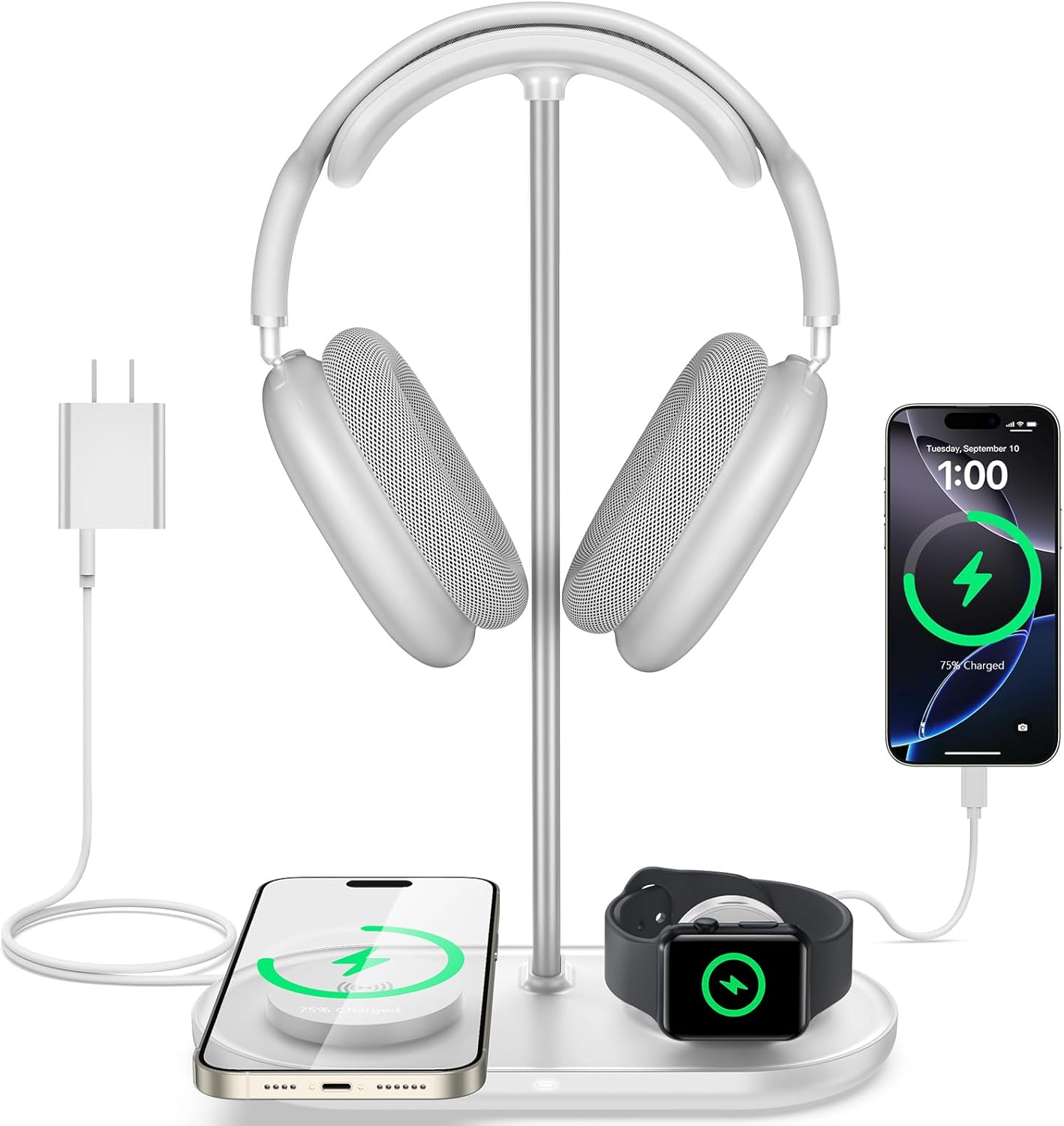
TopMade 5-in-1 Headphone Stand with Wireless Charger
Desktop headset holder with multi-device charging for phone, watch, earbuds, plus USB-C output

This review covers an Amazon product offered through affiliate links. Gadgifyr may earn a small commission if you buy — at no extra cost to you.
Seller:
Amazon
ULTRALOQ U-Bolt WiFi Smart Lock with Door Sensor
A keypad-and-app smart deadbolt with built-in Wi-Fi, door status sensing, and auto-lock routines, designed to simplify everyday access while supporting remote control and basic smart home integrations.


Curated Paths, Smarter Picks
Looking for something specific? Browse our categories or jump straight into the Gadgifyr shop for gadgets we trust enough to sell ourselves. However you explore, you’ll land on tools that actually help.


Explore Gadgifyr's Blogs:


Gadgifyr
March 9, 2026
-
7 min
Stay Cool Without Relying on AC: 5 Gadgets That Make Hot Summers Easier
Trying to stay comfortable through summer heat without blasting air conditioning? These five gadgets help with commuting, sleep, outdoor days, and quick cooldowns.
Category

Gadgifyr
March 14, 2026
-
7 min
The Reality of Facial Structure: What Actually Improves Definition
Facial exercise can influence how the face looks - but only with consistency, realistic expectations, and the right tools. This guide explains what helps, what doesn’t, and how to start today.
Category

Gadgifyr
February 12, 2026
-
7 min
What plant-derived oils can realistically do for hair, sleep, mood, and everyday wellbeing
A science-based overview of essential oils, their biological mechanisms, diffuser and body use, hair and scalp applications, and how scent influences sleep, mood, and focus - without hype or unsupported promises.
Category

Stay Connected with Gadgifyr
Explore smarter. Support better. Whether you're curious, loyal, or just gadget-obsessed, here’s how to stay involved.