
Do Alexa, Siri, and Digital Agendas Actually Help You Get More Done/Stay Organized?
Smart speakers and AI planners can make routines smoother by turning reminders, lists, and timers into “set-and-forget” habits. The strongest evidence supports memory and task support—while big claims about guaranteed productivity or stress relief are often overstated.
What the Science Says
Voice assistants and digital planners (Alexa, Siri, Google Assistant, and calendar apps) aim to reduce everyday friction: remembering errands, coordinating schedules, and keeping routines consistent. Research on digital planning technologies shows why this can matter.
A 2025 scoping study on digital planning-based tools for older adults with mild cognitive impairment identified solutions such as reminders, electronic calendars, digital memory notebooks, visual mapping, and smart-home integration, with several studies reporting improved task performance, memory recall, and aspects of executive function—but also noting usability challenges and low adherence as common barriers. This is a useful lens for everyone, not just clinical groups: when planning tools reduce “forgetting,” they can free attention for the task at hand.
In workplaces and households, the biggest practical advantage of voice assistants is hands-free capture: setting timers while cooking, adding items to a shared shopping list, or logging a reminder without opening a phone. Adoption research on intelligent personal assistants (IPAs) shows many users primarily use them for factual questions, directions, dictation, and timers—while non-users often cite low perceived benefit, awkwardness, and privacy concerns.

This matters for productivity because a tool that feels annoying or unreliable becomes one more interruption. A second theme is trust: survey evidence links IPA use to higher “data confidence” and lower device-specific privacy concerns, suggesting that perceived safety and transparency strongly shape whether people actually stick with these tools.
A common belief is that “digital is always better for planning.” Evidence is more mixed. A peer-reviewed set of studies comparing paper versus mobile calendars found that paper calendar users created higher-quality plans and had higher plan fulfillment in at least one experiment (reported as 53% vs 33% on-time completion in a randomized study), likely because paper makes it easier to see the whole picture rather than isolated alerts. This does not mean digital planners are bad; it suggests that digital systems work best when they also support overview planning—not just notifications.
The main downsides are not mysterious: privacy risk, unwanted recordings, and “always listening” concerns appear repeatedly in smart speaker privacy research, and systematic reviews describe privacy issues as a central barrier to adoption.
There is also a cognitive trade-off: a 2025 study on AI tool use reports a negative association with critical thinking, explained partly by cognitive offloading—when people outsource too much thinking to tools, they may practice those skills less.
Related Books ▼
Master Your Focus: A Practical Guide to Stop Chasing the Next Thing and Focus on What Matters Until It's Done
Thibaut Meurisse

Gadgifyr could not find any relatable books about this topic that were not to advanced and/or technical.
-
Real - World Performance
⚙️ Use voice capture to prevent “phone detours”: quick timers, reminders, and list additions reduce app-hopping and re-checking.
⚙️ Make it household-visible: shared calendars + shared lists reduce duplicate work and “who’s doing what?” stress.
⚙️ Let digital do the repeating: recurring reminders (trash day, bills, meds) are a strong fit for assistants and calendars.
⚙️ Keep a weekly “overview ritual”: paper-style planning (one weekly review) improves plan quality, even if execution is digital.
⚙️ Use routines, not random commands: consistent triggers (morning briefing, evening shutdown) reduce cognitive load and setup effort.
⚙️ Protect focus with “command windows”: check-ins at set times beat constant prompts, which can become a new distraction.
⚙️ For memory support, structure beats features: studies in cognitive-support tools show promise, but adherence drops when setup is complex.
Good to Know
🔍 “It will make you more productive” is not guaranteed: benefits depend on habit design (weekly review + clear lists), not brand names.
🔍 Paper can outperform mobile for plan follow-through: paper calendars can improve plan quality and completion in controlled studies.
🔍 Voice assistants help most with short, atomic tasks: timers, reminders, list items, and simple routines show the clearest everyday value.
🔍 Privacy is a real adoption blocker: smart-speaker privacy research repeatedly flags “always listening,” recordings, and transparency gaps.
🔍 Mute buttons and mic controls matter: users often want physical control because trust in settings alone is limited.
🔍 Cognitive offloading is a double-edged sword: outsourcing memory is helpful, but heavy reliance may reduce practice of planning/critical thinking.

Evidence-Based Reliability Score
Solid evidence on planning tools for memory support and on privacy/trust factors, but fewer direct studies proving large productivity or stress reductions for the general population.
68%
The Consumer Takeaway
AI planners and voice assistants can reduce everyday friction by enabling quick capture and consistent shared routines. Research shows benefits for task support and memory, and adoption studies agree that people stick with tools that feel useful, simple, and trustworthy. The biggest productivity gains come from basic habits—shared lists, recurring reminders, and a weekly overview—not flashy AI features.
The risks are also real. Privacy concerns persist, and over-reliance on AI can weaken active planning through cognitive offloading. A balanced approach works best: use voice assistants for fast capture and routine automation, combine digital reminders with a regular overview habit, and set firm privacy boundaries. Used thoughtfully, these tools can support calmer organization without creating new dependencies.
Sriranganathan, A., Kathiravelu, S., Li, T., et al. (2025). Digital planning-based technologies to support memory-related functioning in older adults with mild cognitive impairment: A systematic scoping study. Journal of Ageing and Longevity, 5(4), 42. https://doi.org/10.3390/jal5040042
Liao, Y., Vitak, J., Kumar, P., Zimmer, M., & Kritikos, K. (2019). Understanding the role of privacy and trust in intelligent personal assistant adoption. In Information in Contemporary Society (iConference 2019 Proceedings) (pp. 102–113). https://doi.org/10.1007/978-3-030-15742-5_9
Gerlich, M. (2025). AI tools in society: Impacts on cognitive offloading and the future of critical thinking. Societies, 15(1), 6. https://doi.org/10.3390/soc15010006
Huang, Y., Yang, Z., & Morwitz, V. G. (2023). How using a paper versus mobile calendar influences everyday planning and plan fulfillment. Journal of Consumer Psychology, 33(1), 115–122. https://doi.org/10.1002/jcpy.1297
Maccario, G., & Naldi, M. (2022). Privacy in smart speakers: A systematic literature review. Security and Privacy, 6, e274. https://doi.org/10.1002/spy2.274
DID YOU GET ANY OF THAT?
Read a summarization of this page's content in question-answer format ▽ (click to open and collapse the content)
Do Alexa/Siri-type devices actually reduce stress?
They can reduce mental load by offloading reminders and routine coordination, which many people experience as less stressful. Direct “stress reduction” proof is less common than evidence for improved task support and usability-driven satisfaction.
What is the single best way to use a voice assistant for organization?
Use it as a capture tool: quick reminders, timers, and shared lists that prevent phone scrolling. Pair that with one weekly review so tasks stay connected to priorities.
Are digital planners better than paper planners?
Digital planners win for reminders, sharing, and recurring tasks, but paper can support better big-picture planning and follow-through in controlled studies. A hybrid system often performs best: paper-style overview, digital execution.
What are the biggest downsides people underestimate?
Privacy and bystander issues in shared spaces, plus the risk of over-reliance on automation for thinking and planning. The safest habit is to keep sensitive tasks off voice and use hardware mic controls when needed.
What does the future likely bring to home planning assistants?
More proactive, context-aware planning (suggesting tasks based on routines) and tighter integration across calendars, shopping, and smart home devices. The key question will be whether transparency and user control improve enough to maintain trust.
Gadgets Connected to These Scientific Insights
The gadgets shown here each rely on the science discussed in this article — sometimes directly, sometimes through a clever variation of the same underlying technology.
For the best experience, we recommend reading the summary first. It gives you a quick, clear understanding of how the technology works and helps you decide whether these gadgets match what you’re looking for.
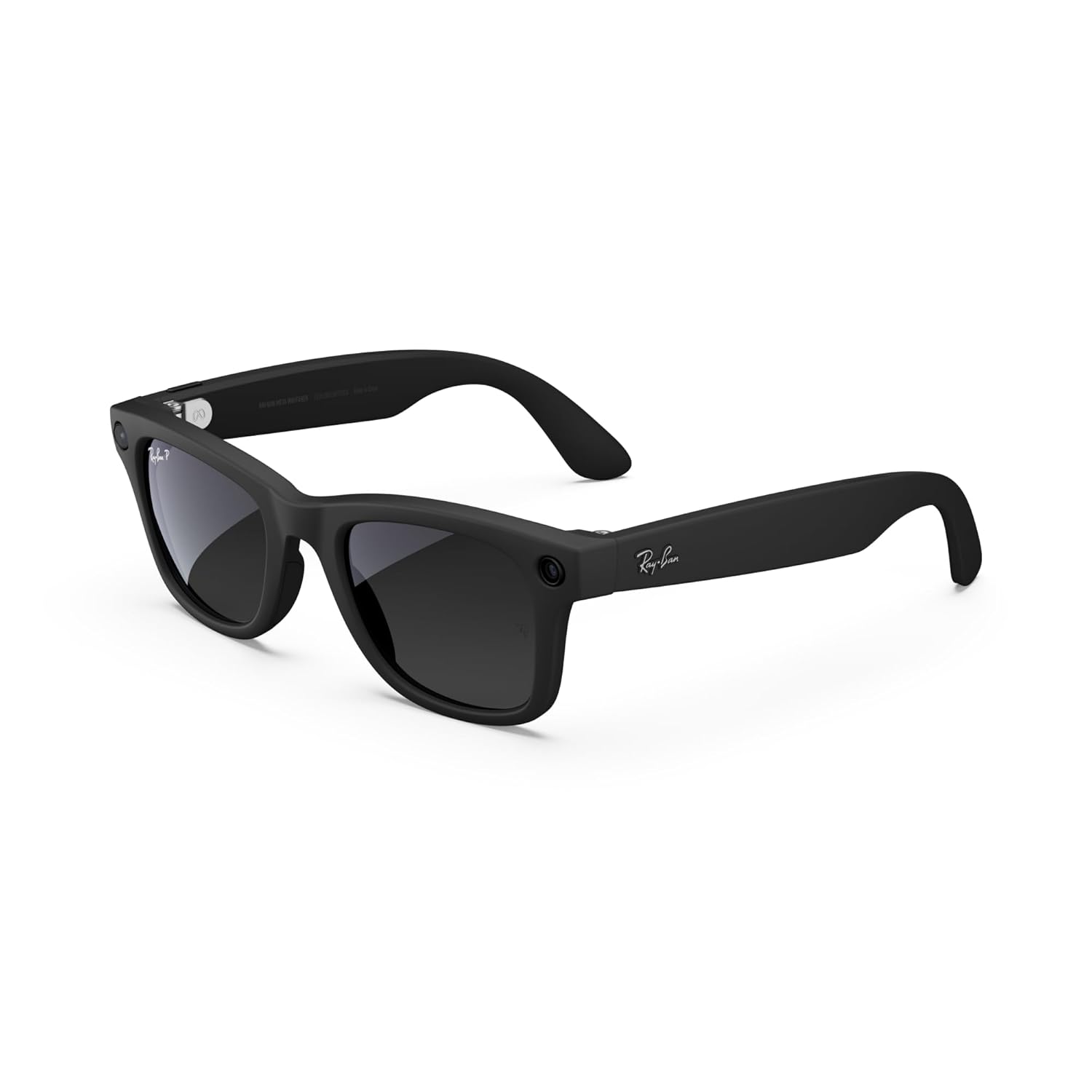
This review covers an Amazon product offered through affiliate links. Gadgifyr may earn a small commission if you buy — at no extra cost to you.

Seller:
Amazon
Ray-Ban Meta Smart Glasses (Gen 1)
Wearable smart sunglasses with 12 MP POV camera, open-ear audio, and hands-free Meta AI features

Explore other Gadget Related Articles:

Do Alexa, Siri, and Digital Agendas Actually Help You Get More Done/Stay Organized?
Voice assistants can reduce “mental load” by capturing tasks hands-free, but privacy trade-offs and over-reliance are real, and productivity gains depend more on how they’re used than on the device itself.

Can Fixing Your Posture Prevent Long-Term Back and Joint Pain?
An evidence-based look at the consequences of bad posture, the importance of correcting it early, and which correction methods are proven to work.

Do Calming Sounds Actually Help You Focus?
Silence can be best for complex thinking, but gentle background sounds—especially nature sounds—can help attention and stress in some people and tasks.

1 / 5


About Gadgifyr
We uncover and review gadgets that genuinely make life better — from boosting focus and energy to improving everyday comfort and wellbeing.
No exaggerations, no empty promises. Just real reviews, grounded research, and practical tech that adds value — not noise.
When a gadget makes bold claims, we test the facts, check the science, and give you the clarity you need to decide with confidence.
Join the Gadgifyr Community
Stay ahead of the curve, together.
Get involved with a community that loves smart gadgets, real reviews, and tech that actually improves life.
Subscribe to the Newsletter
No spam. Just smart tech.
Get new reviews, science insights, and hand-picked gadget drops straight to your inbox.
Explore Gadgifyr's Blogs


Gadgifyr
January 7, 2026
-
6 min
The Sleep Fix: Science-Backed Ways to Sleep Deeper and Wake Better
Struggling with restless nights? Discover what science really says about how to fall asleep faster, sleep deeper, and wake restored.
Category

Gadgifyr
January 10, 2026
-
6 min
Science-Backed Skin Tech: What Really Works and What Still Needs Proof
Can light, electricity, and heat truly transform your skin? A closer look at the science behind today’s most talked-about technologies.
Category

Gadgifyr
January 2, 2026
-
4 min
For the Organized Home Chef: 4 Smart Food Storage Upgrades
Want a calmer, smarter kitchen? Four honest picks that improve prep, storage, and everyday cooking—no gimmicks.
Category


