


BenQ ScreenBar Pro LED Monitor Light Bar
Ultrawide USB-C monitor light with asymmetrical glare control and motion-based auto on and off
BenQ ScreenBar Pro is a monitor-mounted light bar designed to brighten the desk area without reflecting on the display. It delivers ultrawide workspace illumination and uses asymmetrical optics to keep light off the screen while still lighting the keyboard, notes, and accessories below.
Touch controls allow brightness and color temperature changes without adding a desk remote, and a built-in motion sensor can automate on and off behavior to reduce manual switching. It suits home offices and creator setups where desk space and visual comfort matter.

Work & Focus
Full Review & Insights ▼
ScreenBar Pro is built around a straightforward idea: place the light source on the monitor so the desk is illuminated while the display stays free of reflections. Its asymmetrical light design is the defining feature, directing illumination downward instead of outward, which helps reduce glare and makes it easier to work in darker rooms without flooding the entire space. The bar can get very bright, but it remains useful at lower output too, making it suitable for both daytime supplemental lighting and late-night desk work.
Control design is a strong point. Touch buttons on the bar keep adjustments accessible while avoiding a separate remote that can be misplaced. Brightness and color temperature changes are easy to dial in, and the overall lighting spread is wide enough for larger desks and ultrawide monitor setups. The motion sensor adds convenience by turning the light on when someone is at the desk and powering down after inactivity, supporting a more automatic routine.
There are practical limitations. Auto-brightness behavior can restrict color temperature flexibility, which may matter for users who want warm light at night and cool light in the morning without manual changes. Fit is generally broad thanks to the clamp design, but very large or unusually balanced ultrawide monitors can challenge stability, sometimes needing extra support to prevent backward slipping.
Price is also a factor. The feature set and optical control are strong, but budget light bars can cover basic needs at a lower cost, especially for users who do not value the integrated controls and sensor automation.
Where it Falls Short
What We Love
✅ Ultrawide desk illumination coverage
✅ No screen glare with asym optics
✅ Touch controls, no desk remote
✅ Motion sensor auto on and off
✅ Saves desk space entirely
Where it Falls Short
❌ Premium price versus competitors
❌ Auto mode limits color control
❌ Clamp may slip on some ultrawides
❌ Controls are harder in darkness
❌ USB cable is not detachable
Focus
Tech
Scientific Studies that Relate to this Gadget:
No Related Science Articles for this Gadget (yet)


↓ Applications & Real-World Use ↓
🖥️ Home Office Writing: This light bar supports reading and note-taking by illuminating the desk surface evenly without reflecting on the monitor. It helps keep the workspace clear by removing the need for a desk lamp footprint.
🎨 Design and Editing Work: Adjustable brightness and color temperature support long sessions where consistent lighting matters. The glare-control optics help maintain screen visibility while still lighting input devices and reference materials.
🎮 Gaming Setups in Dim Rooms: It provides focused light on the desk without blasting the room, which suits darker setups where screen glare is a distraction. Motion detection can also automate lighting when sitting down for a session.
📚 Late-Night Study Sessions: The downlight pattern supports comfortable keyboard and paper visibility without needing overhead lighting. Warm settings can be used to reduce harshness, while cooler tones suit alert work blocks.
🧑💻 Shared Desks and Hot Desking: Motion-based activation helps the light behave like an automatic workstation feature. Quick touch adjustments make it easy to match different user preferences without extra accessories.
Build Quality & Materials
Aluminum - Used for the main body to provide rigidity and heat management.
ABS Plastic - Used in housing parts to reduce weight and maintain shape.
Polycarbonate - Used for optical elements to shape and diffuse light output.
Zinc - Used in clamp and structural parts for stability and durability.
Dimensions
Length: 50.00 cm (= 19.68 inch)
Width: 13.49 cm (= 5.31 inch)
Height: 9.19 cm (= 3.62 inch)
Our Take on the Product
BenQ ScreenBar Pro is a strong choice for desk users who want wide, controlled lighting without sacrificing space or adding screen reflections. The integrated touch controls and motion sensor create a clean workflow, and USB-C power keeps it predictable for everyday use. It is best suited to home offices, creators, and heavy computer users who value precise desk lighting and an uncluttered setup.
The main drawbacks are cost and edge-case compatibility, as some very large ultrawide monitors may need extra stabilization. For users who only need basic lighting, simpler alternatives may be sufficient.

DID YOU GET ANY OF THAT?
Read a summarization of this page's content in question-answer format ▽ (click to open and collapse the content)
Does this light bar create reflections or glare on the monitor screen?
It is designed to direct light downward with asymmetrical optics, which helps keep illumination off the display surface. This makes it suitable for darker rooms where reflections from typical desk lamps are more noticeable.
How does the motion sensor behave in daily use?
The sensor can turn the light on when someone is near the desk area and switch it off after a short period of inactivity. This supports an automatic workflow, though sensitivity can still trigger in some edge positions if movement occurs close to the desk.
Will it fit curved and ultrawide monitors?
It is designed to accommodate a wide range of monitor thicknesses and curvatures, including many curved and ultrawide displays. Very large ultrawides with unusual balance can still be challenging and may require added support for stability.
Is the color temperature fully adjustable in automatic brightness mode?
Manual adjustment provides flexibility, but automatic brightness can limit color temperature control in some usage patterns. Users who prefer different warmth levels across the day may rely more on manual settings or saved preferences.
What is the main benefit compared with a regular desk lamp?
The monitor-mounted design frees desk space and places light where it is most useful for keyboard, documents, and tools. The controlled beam reduces spill and helps keep the screen comfortable to view for long sessions.
Explore Related Gadgets:

This review covers an Amazon product offered through affiliate links. Gadgifyr may earn a small commission if you buy — at no extra cost to you.

Seller:
Amazon
2PCS Neck Cooling Tube with Cold Insulated Bag
Reusable Wearable Ice Neck Ring Set with Insulated Carry Bag for Summer Heat Relief

This review covers an Amazon product offered through affiliate links. Gadgifyr may earn a small commission if you buy — at no extra cost to you.
Seller:
Amazon
SwitchBot Smart Switch Button Pusher
Bluetooth button pusher for rocker switches and one-way buttons with app timers and optional hub voice control
This review covers an Amazon product offered through affiliate links. Gadgifyr may earn a small commission if you buy — at no extra cost to you.
Seller:
Amazon
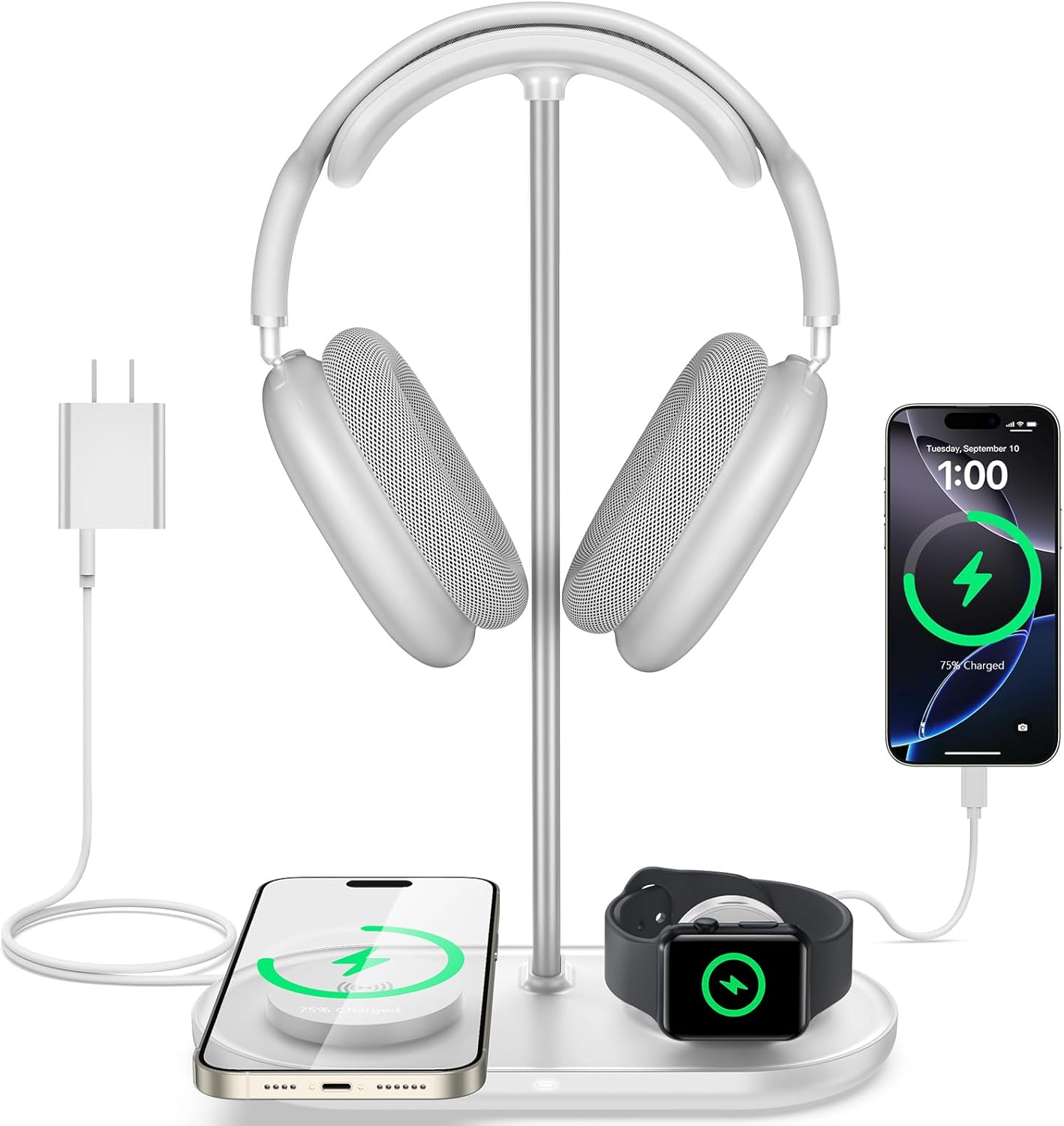
TopMade 5-in-1 Headphone Stand with Wireless Charger
Desktop headset holder with multi-device charging for phone, watch, earbuds, plus USB-C output

This review covers an Amazon product offered through affiliate links. Gadgifyr may earn a small commission if you buy — at no extra cost to you.
Seller:
Amazon
Ophaya Digital Smart Pen Smart Notebook and Writing Board Set (Syncpen + Notebook + Writing Board)
Smart pen set with real-time sync, OCR text conversion, and audio-linked notes in the Ophaya Pro+ app

This review covers an Amazon product offered through affiliate links. Gadgifyr may earn a small commission if you buy — at no extra cost to you.
Seller:
Amazon
BONTEC Wooden Monitor Stand Riser
Two-tier monitor riser with under-shelf storage, cable routing slots, and a built-in phone holder

This review covers an Amazon product offered through affiliate links. Gadgifyr may earn a small commission if you buy — at no extra cost to you.
Seller:
Amazon
JISULIFE Handheld Portable Turbo Fan (4000mAh)
Pocket-Size USB-C Rechargeable Fan with 5 Speeds

This review covers an Amazon product offered through affiliate links. Gadgifyr may earn a small commission if you buy — at no extra cost to you.
Seller:
Amazon
Fenge Dual Monitor Stand with Drawer
Large Two-Tier Desk Riser and Desktop Organizer

This review covers an Amazon product offered through affiliate links. Gadgifyr may earn a small commission if you buy — at no extra cost to you.
Seller:
Amazon
Mindsight Timed Lock Box
Freestanding timed lock box with multiple commitment modes for reducing screen time, cravings, and other repeat distractions through simple physical separation.


Curated Paths, Smarter Picks
Looking for something specific? Browse our categories or jump straight into the Gadgifyr shop for gadgets we trust enough to sell ourselves. However you explore, you’ll land on tools that actually help.


Explore Gadgifyr's Blogs:


Gadgifyr
March 9, 2026
-
7 min
Stay Cool Without Relying on AC: 5 Gadgets That Make Hot Summers Easier
Trying to stay comfortable through summer heat without blasting air conditioning? These five gadgets help with commuting, sleep, outdoor days, and quick cooldowns.
Category

Gadgifyr
March 14, 2026
-
7 min
The Reality of Facial Structure: What Actually Improves Definition
Facial exercise can influence how the face looks - but only with consistency, realistic expectations, and the right tools. This guide explains what helps, what doesn’t, and how to start today.
Category

Gadgifyr
February 12, 2026
-
7 min
What plant-derived oils can realistically do for hair, sleep, mood, and everyday wellbeing
A science-based overview of essential oils, their biological mechanisms, diffuser and body use, hair and scalp applications, and how scent influences sleep, mood, and focus - without hype or unsupported promises.
Category

Stay Connected with Gadgifyr
Explore smarter. Support better. Whether you're curious, loyal, or just gadget-obsessed, here’s how to stay involved.