


Ophaya Digital Smart Pen Smart Notebook and Writing Board Set (Syncpen + Notebook + Writing Board)
Smart pen set with real-time sync, OCR text conversion, and audio-linked notes in the Ophaya Pro+ app
The Ophaya Digital Smart Pen set combines a smart pen, a dot-code notebook, and a writing board to capture handwriting while keeping the familiar feel of pen on paper. Notes can sync to a phone through the Ophaya Pro+ app, enabling instant digitization, organization, and export in multiple formats.
The system also supports handwriting-to-text conversion and optional audio recording linked to written notes, which can help with classes, meetings, or field work. Offline storage allows writing without a live connection, then syncing later for review and sharing.

Work & Focus
Full Review & Insights ▼
This kit targets people who prefer handwriting but need digital storage, search, and share tools. The core experience is straightforward: write normally in the dot-code notebook or on the writing board, and the pen captures strokes for real-time syncing to the companion app. The ability to convert handwriting into editable text via OCR is a key value feature for meeting notes and study material, and the option to attach audio recording to writing can add useful context when reviewing later.
Where the system becomes less consistent is software and workflow. App design and reliability have an outsized impact on daily usefulness, especially for users who expect robust organization, recovery options, and clean exports to other platforms. Some workflows can feel fragmented, with extra steps needed to move notes into external tools, and mistakes like accidental deletion may not be easily reversible.
The hardware experience is generally practical, but small design details matter: storage and carry choices can be inconvenient, and the writing board setup can be less predictable than the dot-code notebook in how pages and destinations are handled.
Overall, the concept is strong and the kit is appealing for hybrid note-taking, but long-term satisfaction depends on tolerance for app limitations, careful handling of the pen and accessories, and realistic expectations for OCR accuracy with varied handwriting styles.
Where it Falls Short
What We Love
✅ Real-time phone syncing
✅ OCR converts handwriting to text
✅ Audio links to notes
✅ Works offline then uploads
✅ Multiple export file options
Where it Falls Short
❌ App organization can feel limited
❌ Some syncing workflows are inconsistent
❌ Pen storage and carry details weak
❌ OCR depends on handwriting clarity
Tech
Focus
Scientific Studies that Relate to this Gadget:
No Related Science Articles for this Gadget (yet)

The Impact of Workspace Organization on Focus and Performance

Plan Your Life, Clear Your Mind: How Planning and Journaling Boost Focus and Happiness


↓ Applications & Real-World Use ↓
🧑🏫 Lecture Capture: Notes can be written normally while audio recording preserves extra context for later review in the same timeline.
🏢 Meeting Documentation: Handwritten action items can be digitized quickly, with OCR text helping turn rough notes into editable summaries.
🎨 Sketch and Concept Drafting: Drawings and diagrams can be captured digitally while keeping the feel of pen strokes on paper and board surfaces.
🛠️ Field Notes and Site Visits: Offline writing can be stored on the pen for later sync, supporting work where phones are not always practical.
📚 Study Organization: Searchable notes and tagging can help locate repeated terms across pages when revisiting past material.
Build Quality & Materials
Plastic - Used for the pen body and accessories to keep the kit lightweight and portable.
Rubber - Applied to grip and contact points to improve handling and reduce slipping.
Dimensions
Length: N/A
Width: N/A
Height: N/A
Our Take on the Product
The Ophaya smart pen set delivers a clear benefit for people who want handwriting with digital backup, especially through real-time syncing, OCR conversion, and audio-linked notes. It can fit students, field workers, and professionals who value quick capture and later review, and the offline mode supports writing without constant connectivity.
The main limitations sit in the software layer: organization, export smoothness, and recovery options may not feel mature enough for heavy daily workflows. It is best for users who can adapt to the app’s structure and want a hybrid system, while those needing polished integrations and strong document management may find it restrictive.

DID YOU GET ANY OF THAT?
Read a summarization of this page's content in question-answer format ▽ (click to open and collapse the content)
How does the Ophaya smart pen capture handwriting and sync it to a phone?
The pen records pen strokes while writing on the compatible dot-code notebook or writing board, then sends the captured content to the Ophaya Pro+ app for real-time syncing when connected. If the phone is not connected, the pen can store content and upload later, which helps prevent losing notes in busy environments. The overall accuracy depends on using the supported surfaces and keeping pairing stable.
Can handwritten notes really be converted into editable text, and how accurate is it?
The system supports OCR handwriting recognition and can generate editable text files such as Word documents, but results vary based on handwriting style, spacing, and lighting conditions. Clear print writing usually converts more consistently than cursive or dense shorthand. For best outcomes, it works well as a draft-to-edit workflow rather than a perfect transcription tool.
What is the benefit of audio recording linked to notes?
Audio can be recorded alongside writing so specific parts of the recording align with what was written at that time, which can make review more informative than notes alone. This is especially useful for classes, interviews, and meetings where key details may be missed in fast writing. The feature is most valuable when the app’s playback and note navigation remain stable for longer sessions.
Does the set work without an internet connection or without the app open?
Writing can continue without internet, and offline storage allows notes to be captured even when the phone is not actively connected. Once the app reconnects, saved content can upload for viewing and export. However, app-based organization and conversion features still rely on using the app later, so it is not a fully standalone system.
Is this a good replacement for a tablet-style note device or a simple scan-and-save notebook?
It can replace some tablet note-taking for users who prioritize handwriting feel and want instant digital copies, but it is not as seamless as a full tablet ecosystem for file management and integrations. Compared with scan-based notebooks, it reduces the extra scanning step and can add audio syncing, but the app experience can be a deciding factor. It fits best as a hybrid tool for capture and review rather than a complete productivity platform.
Explore Related Gadgets:

This review covers an Amazon product offered through affiliate links. Gadgifyr may earn a small commission if you buy — at no extra cost to you.

Seller:
Amazon
Furbo Mini 360° Pet Camera
Compact 2K rotating pet monitoring camera with treat toss, two-way audio, and subscription-based AI alerts for enhanced behavioral insights

This review covers an Amazon product offered through affiliate links. Gadgifyr may earn a small commission if you buy — at no extra cost to you.
Seller:
Amazon
2PCS Neck Cooling Tube with Cold Insulated Bag
Reusable Wearable Ice Neck Ring Set with Insulated Carry Bag for Summer Heat Relief

This review covers an Amazon product offered through affiliate links. Gadgifyr may earn a small commission if you buy — at no extra cost to you.
Seller:
Amazon
Dreo 25 Inch Indoor Tower Space Heater
A quiet, fast-heating tower heater designed to distribute steady warmth across medium to large indoor rooms with simple remote control.

This review covers an Amazon product offered through affiliate links. Gadgifyr may earn a small commission if you buy — at no extra cost to you.
Seller:
Amazon
LEVOIT Core 300-P Air Purifier
A compact, corded air purifier with AHAM-verified CADR performance, a 3-stage filtration system, and a low-noise Sleep Mode designed to support cleaner air in bedrooms and everyday living spaces.

This review covers an Amazon product offered through affiliate links. Gadgifyr may earn a small commission if you buy — at no extra cost to you.
Seller:
Amazon
SwitchBot Smart Automatic Curtain Opener 2-Pack with Hub 3
Two no-drill curtain motors bundled with Hub 3 for app schedules and Matter-enabled smart home control, designed to move heavier curtains with quieter optional operation.

This review covers an Amazon product offered through affiliate links. Gadgifyr may earn a small commission if you buy — at no extra cost to you.
Seller:
Amazon
SwitchBot Smart Switch Button Pusher
Bluetooth button pusher for rocker switches and one-way buttons with app timers and optional hub voice control
This review covers an Amazon product offered through affiliate links. Gadgifyr may earn a small commission if you buy — at no extra cost to you.
Seller:
Amazon
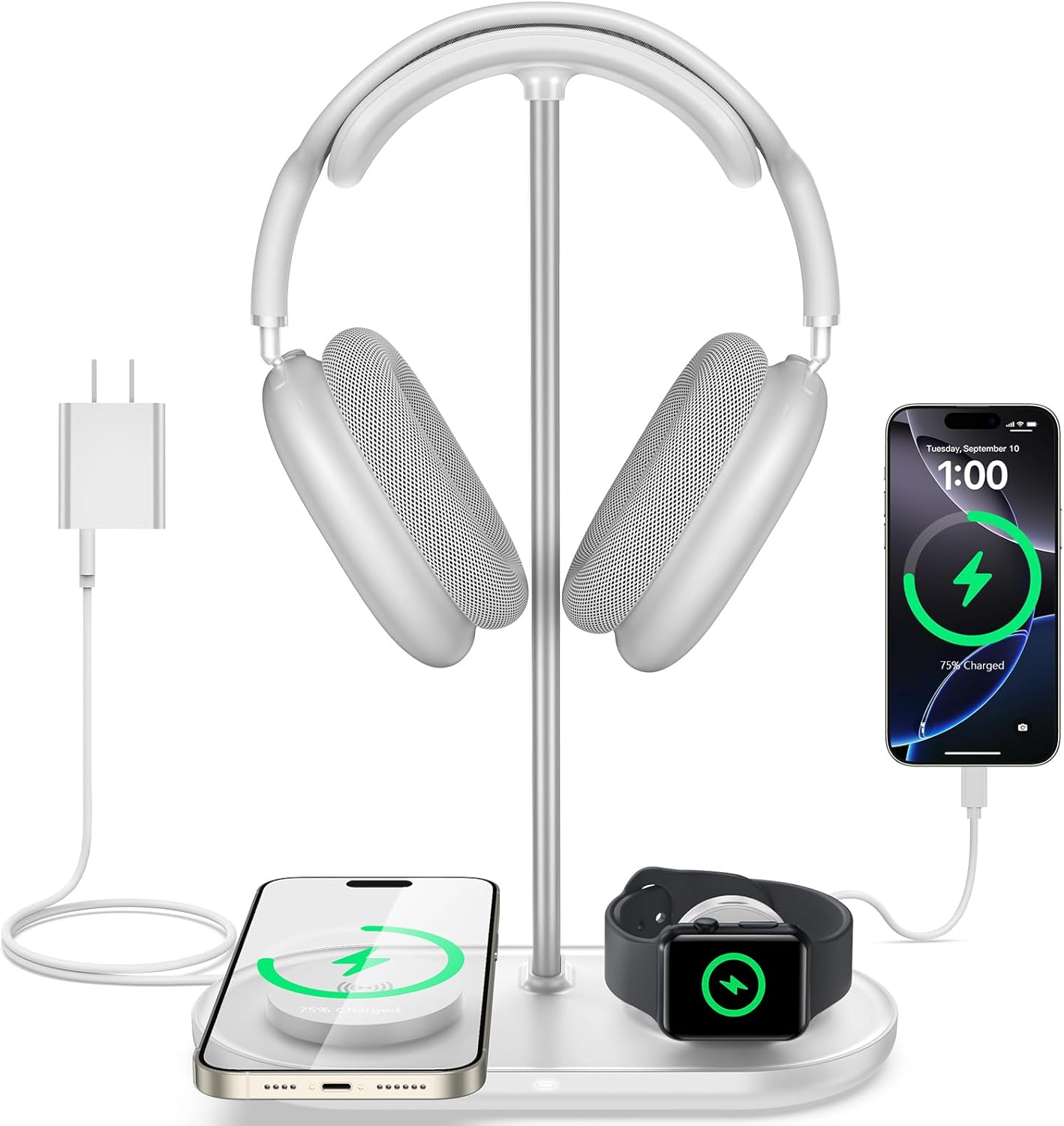
TopMade 5-in-1 Headphone Stand with Wireless Charger
Desktop headset holder with multi-device charging for phone, watch, earbuds, plus USB-C output

This review covers an Amazon product offered through affiliate links. Gadgifyr may earn a small commission if you buy — at no extra cost to you.
Seller:
Amazon
ULTRALOQ U-Bolt WiFi Smart Lock with Door Sensor
A keypad-and-app smart deadbolt with built-in Wi-Fi, door status sensing, and auto-lock routines, designed to simplify everyday access while supporting remote control and basic smart home integrations.


Curated Paths, Smarter Picks
Looking for something specific? Browse our categories or jump straight into the Gadgifyr shop for gadgets we trust enough to sell ourselves. However you explore, you’ll land on tools that actually help.


Explore Gadgifyr's Blogs:


Gadgifyr
March 9, 2026
-
7 min
Stay Cool Without Relying on AC: 5 Gadgets That Make Hot Summers Easier
Trying to stay comfortable through summer heat without blasting air conditioning? These five gadgets help with commuting, sleep, outdoor days, and quick cooldowns.
Category

Gadgifyr
March 14, 2026
-
7 min
The Reality of Facial Structure: What Actually Improves Definition
Facial exercise can influence how the face looks - but only with consistency, realistic expectations, and the right tools. This guide explains what helps, what doesn’t, and how to start today.
Category

Gadgifyr
February 12, 2026
-
7 min
What plant-derived oils can realistically do for hair, sleep, mood, and everyday wellbeing
A science-based overview of essential oils, their biological mechanisms, diffuser and body use, hair and scalp applications, and how scent influences sleep, mood, and focus - without hype or unsupported promises.
Category

Stay Connected with Gadgifyr
Explore smarter. Support better. Whether you're curious, loyal, or just gadget-obsessed, here’s how to stay involved.