

Avast Mobile Security
Scan devices for threats, block malicious links, improve privacy settings, monitor app behavior, and help secure mobile activity.
A mobile cybersecurity platform combining protection, privacy, and device security tools.
Avast Mobile Security is a mobile cybersecurity app designed to protect smartphones and tablets from malware, phishing attacks, unsafe applications, and online privacy risks. The app combines antivirus scanning, web protection, scam prevention, and device security tools into a single mobile-focused platform.
The software is built around continuous monitoring and automated threat prevention. Instead of relying only on manual scans, Avast actively checks apps, downloads, websites, Wi-Fi connections, and suspicious behavior to help identify risks before they affect the device.
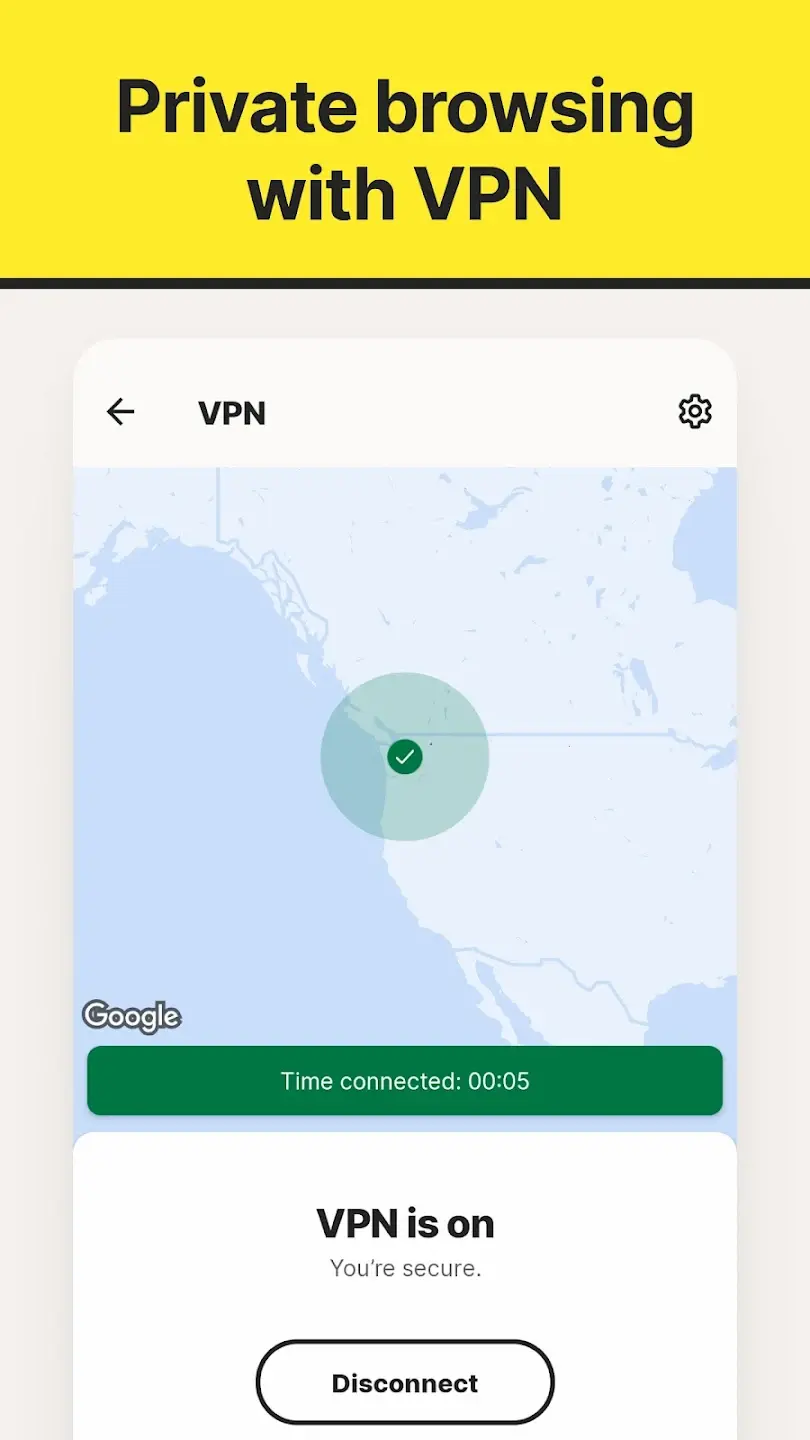
In addition to malware protection, the app includes features such as app locking, breach monitoring, photo vault storage, scam alerts, and VPN integration depending on the operating system and subscription tier. Avast also places noticeable emphasis on privacy awareness and user-friendly security management.
The platform is designed to be accessible for everyday users who want stronger mobile protection without requiring technical cybersecurity knowledge. Compared with many lightweight antivirus apps, Avast offers a broader set of security and privacy tools inside one interface.
Apps are frequently updated and may change over time. While we aim to keep our reviews accurate and up to date, some information may become outdated or no longer reflect the current version.
Disclaimer ▽ (click open)
How to Use
Using Avast Mobile Security starts with installing the app and granting the permissions needed for scanning, monitoring, and protection features. After setup, the app performs an initial device scan to identify malware, unsafe settings, suspicious apps, and potential privacy issues.
The app mainly works through real-time monitoring and automated alerts. Avast continuously scans installed apps, downloads, files, browsing activity, and Wi-Fi networks for unusual or risky behavior. If a threat or suspicious link is detected, users receive notifications explaining the issue and suggested actions.
One of the app’s key areas is web and scam protection. Avast checks websites, links, and messages for phishing attempts, fake login pages, and malicious downloads. This is especially useful for users frequently shopping online, banking through mobile apps, or opening links from emails and messages.
The platform also includes privacy-oriented features such as app permission analysis, photo vault protection, and breach monitoring that alerts users if their email addresses appear in leaked databases.
On Android devices, Avast offers more extensive functionality including app lock tools, anti-theft features, junk cleanup, and deeper malware scanning. iOS functionality focuses more heavily on web protection and identity privacy due to Apple platform restrictions.
Most daily interaction happens through quick security summaries, alerts, and automated scans rather than constant manual management.
Strongest Points:
✓ Strong malware and phishing protection
✓ Broad range of privacy and security tools
✓ User-friendly interface for beginners
✓ Real-time monitoring and alerts
✓ Good free version availability
Weaker Points:
✕ Some advanced tools require premium plans
✕ Frequent upgrade prompts in free version
✕ Android features are stronger than iOS
✕ Certain cleanup features overlap with system tools
✕ Some users may find notifications excessive



How to Use
Using Avast Mobile Security starts with installing the app and granting the permissions needed for scanning, monitoring, and protection features. After setup, the app performs an initial device scan to identify malware, unsafe settings, suspicious apps, and potential privacy issues.
The app mainly works through real-time monitoring and automated alerts. Avast continuously scans installed apps, downloads, files, browsing activity, and Wi-Fi networks for unusual or risky behavior. If a threat or suspicious link is detected, users receive notifications explaining the issue and suggested actions.
One of the app’s key areas is web and scam protection. Avast checks websites, links, and messages for phishing attempts, fake login pages, and malicious downloads. This is especially useful for users frequently shopping online, banking through mobile apps, or opening links from emails and messages.
The platform also includes privacy-oriented features such as app permission analysis, photo vault protection, and breach monitoring that alerts users if their email addresses appear in leaked databases.
On Android devices, Avast offers more extensive functionality including app lock tools, anti-theft features, junk cleanup, and deeper malware scanning. iOS functionality focuses more heavily on web protection and identity privacy due to Apple platform restrictions.
Most daily interaction happens through quick security summaries, alerts, and automated scans rather than constant manual management.
Strongest Points:
✓ Strong malware and phishing protection
✓ Broad range of privacy and security tools
✓ User-friendly interface for beginners
✓ Real-time monitoring and alerts
✓ Good free version availability
Weaker Points:
✕ Some advanced tools require premium plans
✕ Frequent upgrade prompts in free version
✕ Android features are stronger than iOS
✕ Certain cleanup features overlap with system tools
✕ Some users may find notifications excessive
Use it For:
📱 Smartphone users wanting accessible mobile security tools
🔒 People concerned about phishing links and scam websites
🌐 Users frequently browsing or shopping online on mobile
🛡️ Android users wanting broader device security features
💡 Users looking for a capable free mobile security option
App Usable on:
Phone
Tablet
PC
TV
Applications and Features
Avast Mobile Security combines several layers of mobile protection into one platform. Its primary functionality centers around malware detection, phishing prevention, scam alerts, and privacy monitoring. The antivirus engine scans applications, files, and downloads for known threats while also using behavioral analysis to detect suspicious activity. Real-time monitoring helps identify problems before harmful software fully affects the device.
A major feature is Web Shield and Scam Protection, which helps block malicious websites, phishing pages, fraudulent links, and unsafe downloads. This is particularly useful for users handling financial information or sensitive accounts on mobile devices.
The app also includes several privacy-focused tools. Users can review app permissions, lock sensitive applications behind authentication, monitor data breaches, and secure personal media files through protected storage features.
On Android, Avast provides more advanced system integration including anti-theft tools, app insights, Wi-Fi security analysis, and device cleanup utilities. The Android version is significantly more feature-rich than the iPhone version due to operating system limitations.
Compared with some premium-focused competitors, Avast is notable for offering a relatively capable free version while still reserving advanced tools for paid subscribers. The platform aims to balance accessibility, automation, and broad security coverage for general smartphone users.
▽ Gadgets Related to this App ▽
App Summary
Avast Mobile Security is a mobile cybersecurity platform focused on protecting smartphones and tablets from malware, phishing attacks, privacy risks, and unsafe online activity. Its strongest advantage lies in combining accessible security tools with automated background protection that requires minimal technical knowledge.
The app works well for users who want a balance between antivirus protection, scam prevention, and privacy monitoring without needing a highly technical setup process. Features such as real-time scanning, web protection, breach alerts, and app privacy analysis help create broader mobile security coverage than many basic antivirus apps provide.
While the platform includes some upgrade prompts and feature limitations in the free version, it remains one of the more feature-rich mobile security apps available for everyday users. Android users benefit the most from the complete feature set due to deeper operating system access. Available for smartphones and tablets on Android and iOS platforms.
Pricing:
Free
Cheap
Mid
Pricy
High
Free
Cheap
Mid
Pricy
High
Free
Cheap
Mid
Pricy
High
Free
Cheap
Mid
Pricy
High
Free
Cheap
Mid
Pricy
High
Avast Mobile Security offers both free and premium subscription tiers. The free version includes many core protection features, while paid plans unlock additional privacy tools, VPN services, and more advanced security functionality.
Learning Difficulty:
The app is designed for general users and relies heavily on automation. Most features are clearly labeled and require very little technical setup.
Required Skill Sets:
Only basic smartphone and internet safety knowledge is needed to use the app effectively.
Educational Content:
▽ Related Apps ▽

Widgetsmith lets users design custom widgets by choosing a type, size, and style, then place them on the home screen, lock screen, or Control Center with full control over fonts, colors, and themes.

ProtonVPN encrypts internet traffic and masks a user’s IP address through a global server network, with a free unlimited tier and a premium suite offering advanced privacy tools including Secure Core routing, Stealth protocol, and Tor over VPN.

Surfshark encrypts internet traffic and hides a user's IP address across unlimited devices simultaneously, enabling private browsing, streaming access, and secure connections on any network.

1/4
Questions & Answers: ⮛ (click to open)
Does Avast Mobile Security work automatically?
Yes. Most core protection features operate continuously in the background after setup. Users mainly interact with alerts, reports, and occasional manual scans.
Is the free version useful?
The free version includes important security features such as malware scanning and web protection. However, advanced privacy tools and VPN functionality are reserved for premium plans.
Can Avast protect against phishing websites?
Yes. Web Shield technology analyzes websites and links for phishing attempts, fraudulent pages, and unsafe downloads before users interact with them.
Why does the Android version have more features than iOS?
Apple restricts deep system-level access for security apps on iPhones. Android allows broader scanning and monitoring capabilities, enabling Avast to provide more advanced protection features.
Good to Knows: ⮛ (click to open)
• Android devices receive more advanced security features than iPhones
• The free version includes many core protection tools
• Scam and phishing protection are major focus areas of the app
Takeaways: ⮛ (click to open)
• Avast Mobile Security combines antivirus, privacy, and scam protection tools
• The app focuses heavily on automated mobile threat prevention
• Its strongest value comes from balancing accessibility with broad feature coverage
Did You Get Any of That?
Related Science Articles:
Explore Other App Solutions With our Blogs
Discover how different apps approach common challenges, what they do well, and where they fall short — helping you understand which tools are best suited for your specific goals and daily routines.
Swipe Less, Talk Better: 5 AI Dating Apps That Might Actually Fix Your Texting
Five AI dating and relationship apps compared — find out which ones build real skills and which ones just write your messages for you.

Gadgifyr Apps
July 30, 2026
-
9 min

The Quiet Ones: 5 Apps Doing Something No One Else Bothered To
Five genuinely inventive apps compared — find out which ones are simply clever and which are actually useful.
Gadgifyr Apps
July 19, 2026
-
9 min

After You Hit "Book": 5 Apps That Make the Trip Itself Better
Five travel apps compared on what they offer before, during, and after the trip — beyond flights, hotels, and bookings.
Gadgifyr Apps
July 14, 2026
-
9 min

Notes That Talk to Each Other: 5 Apps for Thinking, Not Just Typing
Obsidian, Notion, Evernote, OneNote, and Joplin compared — find out which one turns scattered notes into a system that actually connects your ideas.
Gadgifyr Apps
July 11, 2026
-
9 min




Where Curiosity Finds Its Match
Dive into Gadgifyr’s world of honest gadget reviews, scientific clarity, app reviews, and real tools designed to make everyday life smarter and simpler.
Clarity Behind Every Tool
Gadgifyr reviews apps and gadgets through structured analysis and science-backed insight. It focuses on how tools actually work, where they deliver real value, and how they fit into everyday routines.
Each review highlights functionality, usability, and limitations in a clear and practical way. This approach helps users understand which tools are worth using and make informed decisions with confidence.


Why People Trust Gadgifyr App Reviews
Because we go beyond popularity — we uncover new apps, explain how they work, and show what truly adds value. From hidden tools to well-known platforms, we help you understand what fits your needs.


