

Gadgifyr Apps
July 11, 2026
-
9 min
Read
Notes That Talk to Each Other: 5 Apps for Thinking, Not Just Typing
Most note-taking apps are good at storing information but weak at helping users actually connect and reuse it. This blog compares five of the most widely used knowledge management tools by the features that matter most — linking, search, privacy, and the ability to build something more useful than a pile of notes.
Why Most Note-Taking Apps Still Leave Good Thinking Behind
Most people who take notes regularly end up with a large, growing archive that they rarely look at again. A note is captured, filed, and never revisited — not because the information is not useful, but because there is no system connecting it to anything else. The result is a digital pile rather than a knowledge base, and the useful thinking inside it stays buried. This is the problem that a new generation of knowledge management tools is trying to solve, and the differences between them are significant enough to affect whether a system actually gets built and used over time.
The five apps covered here — Obsidian, Notion, Evernote, Microsoft OneNote, and Joplin — each take a different approach to how notes are stored, connected, and retrieved. Some are built around the idea that linking ideas is as important as capturing them. Others prioritise flexibility, collaboration, or privacy. Understanding where each one is genuinely strong, and where it asks the user to accept trade-offs, is the most practical way to find a system that will still be worth using in a year’s time.


Obsidian
A note-taking platform focused on linking information and building structured personal knowledge networks.
Obsidian is a local-first personal knowledge management tool that stores all notes as plain Markdown files on the user’s own device. Its defining feature is a bidirectional linking system where typing double brackets around any word or phrase creates a connection between notes — and both notes register that connection. These links can be explored through a visual knowledge graph that maps the entire note collection as an interactive web of interconnected ideas. Obsidian is free for personal use, with optional paid sync and publishing add-ons, and supports a library of over 1,000 community plugins that extend its functionality significantly.
Obsidian’s clearest strength is the depth of its knowledge graph. The combination of bidirectional links, graph visualisation, a Canvas whiteboard for spatial thinking, and a plugin ecosystem that includes spaced repetition, dataview queries, and Zotero integration makes it the most capable tool in this comparison for users who want to build a genuine second brain. Notes remain fully readable in any text editor, and because everything is stored locally, the system is not dependent on any company’s continued operation or pricing.
Obsidian’s limitations are equally honest. The learning curve is steep: new users frequently report feeling lost during the first weeks, and building an effective system requires meaningful time investment upfront. Compared to Notion, it has no real-time collaboration; compared to Evernote, its web clipper requires a plugin rather than being native; compared to OneNote, it has no freeform canvas for handwriting. The free sync via third-party services like Dropbox is functional but requires setup.
Best suited for users who want to build a long-term, interconnected knowledge system and are prepared to invest time in learning the tool in exchange for complete data ownership and a deeply customisable environment.

Obsidian’s clearest strength is the depth of its knowledge graph. The combination of bidirectional links, graph visualisation, a Canvas whiteboard for spatial thinking, and a plugin ecosystem that includes spaced repetition, dataview queries, and Zotero integration makes it the most capable tool in this comparison for users who want to build a genuine second brain. Notes remain fully readable in any text editor, and because everything is stored locally, the system is not dependent on any company’s continued operation or pricing.
Obsidian’s limitations are equally honest. The learning curve is steep: new users frequently report feeling lost during the first weeks, and building an effective system requires meaningful time investment upfront. Compared to Notion, it has no real-time collaboration; compared to Evernote, its web clipper requires a plugin rather than being native; compared to OneNote, it has no freeform canvas for handwriting. The free sync via third-party services like Dropbox is functional but requires setup.
Best suited for users who want to build a long-term, interconnected knowledge system and are prepared to invest time in learning the tool in exchange for complete data ownership and a deeply customisable environment.
Adults Concerned About App Data Use
A 2024 survey by the Pew Research Center found that 26% of U.S. adults say they are very or somewhat concerned about how apps store and use personal data they collect. This concern is particularly relevant for knowledge management apps, where years of personal notes, research, and private thinking are stored in systems that users may not fully control.

26%
Obsidian Monthly Active Users in 2025
According to the app’s own published figures, Obsidian crossed 2 million monthly active users in 2025, a milestone that reflects the broader shift away from simple note-taking toward networked knowledge management. This growth coincided with bidirectional linking becoming a mainstream expectation rather than a specialist feature across the note-taking category.

2M+
Knowledge Workers Who Waste Time Searching for Information
A survey conducted by Redbooth and published in Harvard Business Review found that 73% of knowledge workers feel they spend too much time looking for information they have already encountered before. This is the core problem that knowledge management tools are designed to solve — not just capturing information, but connecting and retrieving it without effort.

73%
Notable Numbers

Notion is an all-in-one workspace that combines notes, databases, project boards, wikis, and calendars in a single cloud-based platform. Notes are built from modular blocks that can include text, tables, images, embeds, and databases, and pages can be linked to each other with inline references. Notion introduced backlinks in recent versions, moving it closer to networked note-taking, though its primary strength remains structured organisation through databases rather than freeform idea linking. It is available on all major platforms and has a generous free tier for individual users.
Notion’s main strength is its structural flexibility. The ability to build databases with custom properties, multiple views, and linked tables means that users can create highly organised knowledge systems without being constrained to a fixed format. For teams sharing a workspace, real-time collaboration works reliably. For individuals, the template library reduces setup time, and Notion AI adds summarisation and Q&A features across the user’s own workspace.
Where Notion falls short relative to the other apps in this group is in knowledge linking depth and offline access. Its backlinks exist but the experience is less central and fluid than Obsidian’s bidirectional system, and building an effective linking structure in Notion requires more deliberate manual effort. Large Notion databases can feel slow. Unlike Obsidian and Joplin, data is stored on Notion’s servers and exported in formats that require work to use outside the platform. Compared to OneNote, it requires more setup; compared to Evernote, its web clipper is weaker.
Best suited for users who want a flexible, collaborative workspace that combines notes, tasks, and structured databases in a single tool, particularly where team access and shared organisation are important.

Notion’s main strength is its structural flexibility. The ability to build databases with custom properties, multiple views, and linked tables means that users can create highly organised knowledge systems without being constrained to a fixed format. For teams sharing a workspace, real-time collaboration works reliably. For individuals, the template library reduces setup time, and Notion AI adds summarisation and Q&A features across the user’s own workspace.
Where Notion falls short relative to the other apps in this group is in knowledge linking depth and offline access. Its backlinks exist but the experience is less central and fluid than Obsidian’s bidirectional system, and building an effective linking structure in Notion requires more deliberate manual effort. Large Notion databases can feel slow. Unlike Obsidian and Joplin, data is stored on Notion’s servers and exported in formats that require work to use outside the platform. Compared to OneNote, it requires more setup; compared to Evernote, its web clipper is weaker.
Best suited for users who want a flexible, collaborative workspace that combines notes, tasks, and structured databases in a single tool, particularly where team access and shared organisation are important.
Adults Concerned About App Data Use
A 2024 survey by the Pew Research Center found that 26% of U.S. adults say they are very or somewhat concerned about how apps store and use personal data they collect. This concern is particularly relevant for knowledge management apps, where years of personal notes, research, and private thinking are stored in systems that users may not fully control.
26%
Obsidian Monthly Active Users in 2025
According to the app’s own published figures, Obsidian crossed 2 million monthly active users in 2025, a milestone that reflects the broader shift away from simple note-taking toward networked knowledge management. This growth coincided with bidirectional linking becoming a mainstream expectation rather than a specialist feature across the note-taking category.
2M+
Knowledge Workers Who Waste Time Searching for Information
A survey conducted by Redbooth and published in Harvard Business Review found that 73% of knowledge workers feel they spend too much time looking for information they have already encountered before. This is the core problem that knowledge management tools are designed to solve — not just capturing information, but connecting and retrieving it without effort.
73%
Notable Numbers


Evernote
A cross-platform productivity and note management app focused on organizing information, tasks, documents, and ideas in one searchable workspace.
Evernote is one of the oldest and most recognised digital note-taking platforms, launched in 2008 and known for its web clipper, OCR-powered search, tagging system, and multi-device sync. Since its acquisition by Bending Spoons in 2023, the platform has continued to ship updates including AI-assisted note editing and improved search, but has also implemented significant pricing changes: the free tier is now limited to 50 notes total and single-device sync, while paid plans have risen sharply, with the Starter plan reaching approximately $99 per year and the Advanced plan at $249.99 per year.
Evernote’s clearest remaining strength is its search and capture capability. Its web clipper is still considered the most capable in this group for saving web content with formatting intact, and its OCR makes text inside scanned documents and images fully searchable — a feature that is particularly valuable for users who capture a lot of physical or visual content. The tagging system is robust, and for users with years of accumulated notes already inside Evernote, migration carries a real cost.
The main concern with Evernote in its current form is value relative to price. Its free tier is now among the most restricted of any major note-taking app, and its paid plans are significantly more expensive than most alternatives offering comparable or superior features. Compared to Obsidian and Joplin, it offers no local storage or meaningful data ownership. Compared to Notion, its structural flexibility is limited. Compared to OneNote, it is not free. The web clipper and OCR remain reasons to stay, but not necessarily reasons to start.
Best suited for users who have a large existing Evernote library and a content-capture-heavy workflow, particularly those who rely on web clipping and searchable scanned documents and find the migration cost prohibitive.

Evernote’s clearest remaining strength is its search and capture capability. Its web clipper is still considered the most capable in this group for saving web content with formatting intact, and its OCR makes text inside scanned documents and images fully searchable — a feature that is particularly valuable for users who capture a lot of physical or visual content. The tagging system is robust, and for users with years of accumulated notes already inside Evernote, migration carries a real cost.
The main concern with Evernote in its current form is value relative to price. Its free tier is now among the most restricted of any major note-taking app, and its paid plans are significantly more expensive than most alternatives offering comparable or superior features. Compared to Obsidian and Joplin, it offers no local storage or meaningful data ownership. Compared to Notion, its structural flexibility is limited. Compared to OneNote, it is not free. The web clipper and OCR remain reasons to stay, but not necessarily reasons to start.
Best suited for users who have a large existing Evernote library and a content-capture-heavy workflow, particularly those who rely on web clipping and searchable scanned documents and find the migration cost prohibitive.
Adults Concerned About App Data Use
A 2024 survey by the Pew Research Center found that 26% of U.S. adults say they are very or somewhat concerned about how apps store and use personal data they collect. This concern is particularly relevant for knowledge management apps, where years of personal notes, research, and private thinking are stored in systems that users may not fully control.
26%
Obsidian Monthly Active Users in 2025
According to the app’s own published figures, Obsidian crossed 2 million monthly active users in 2025, a milestone that reflects the broader shift away from simple note-taking toward networked knowledge management. This growth coincided with bidirectional linking becoming a mainstream expectation rather than a specialist feature across the note-taking category.
2M+
Knowledge Workers Who Waste Time Searching for Information
A survey conducted by Redbooth and published in Harvard Business Review found that 73% of knowledge workers feel they spend too much time looking for information they have already encountered before. This is the core problem that knowledge management tools are designed to solve — not just capturing information, but connecting and retrieving it without effort.
73%
Notable Numbers


Microsoft OneNote
Cross-platform digital notebook for writing, organizing, syncing, and managing notes across devices.
Microsoft OneNote is a free digital notebook available to anyone with a Microsoft account, structured around a hierarchy of notebooks, sections, and pages. Unlike the other apps in this comparison, OneNote uses a freeform canvas where content — text, images, handwriting, audio recordings, and file printouts — can be placed anywhere on an infinite page. It supports OCR-powered search across handwritten notes and images, real-time collaboration through OneDrive, tagging, and AI-powered features via Microsoft Copilot for users with Microsoft 365 subscriptions.
OneNote’s primary advantage is its combination of zero cost, accessibility, and freeform capture. For users who think visually, take handwritten notes on a tablet, or work within an existing Microsoft 365 environment, it is the most natural fit in this group. The freeform canvas is genuinely useful for meeting notes, mind mapping, and annotating diagrams in ways that structured text editors cannot replicate. OCR-powered search across handwriting and images is a standout feature that Obsidian and Joplin do not match natively.
OneNote’s significant limitation is that it is not designed around networked thinking. While page links and wiki-style connections exist, they require manual construction and are not a central feature the way bidirectional linking is in Obsidian. The notebook-section-page hierarchy is intuitive but can become unwieldy as a knowledge base grows. Compared to Notion, it lacks database functionality; compared to Obsidian, it lacks any graph or linking system; compared to Joplin, its privacy model depends on Microsoft’s OneDrive infrastructure rather than local storage or user-controlled encryption.
Best suited for users who want a free, flexible digital notebook, particularly those who take handwritten or visual notes, work within the Microsoft 365 ecosystem, or need reliable collaboration without a subscription cost.

OneNote’s primary advantage is its combination of zero cost, accessibility, and freeform capture. For users who think visually, take handwritten notes on a tablet, or work within an existing Microsoft 365 environment, it is the most natural fit in this group. The freeform canvas is genuinely useful for meeting notes, mind mapping, and annotating diagrams in ways that structured text editors cannot replicate. OCR-powered search across handwriting and images is a standout feature that Obsidian and Joplin do not match natively.
OneNote’s significant limitation is that it is not designed around networked thinking. While page links and wiki-style connections exist, they require manual construction and are not a central feature the way bidirectional linking is in Obsidian. The notebook-section-page hierarchy is intuitive but can become unwieldy as a knowledge base grows. Compared to Notion, it lacks database functionality; compared to Obsidian, it lacks any graph or linking system; compared to Joplin, its privacy model depends on Microsoft’s OneDrive infrastructure rather than local storage or user-controlled encryption.
Best suited for users who want a free, flexible digital notebook, particularly those who take handwritten or visual notes, work within the Microsoft 365 ecosystem, or need reliable collaboration without a subscription cost.
Adults Concerned About App Data Use
A 2024 survey by the Pew Research Center found that 26% of U.S. adults say they are very or somewhat concerned about how apps store and use personal data they collect. This concern is particularly relevant for knowledge management apps, where years of personal notes, research, and private thinking are stored in systems that users may not fully control.
26%
Obsidian Monthly Active Users in 2025
According to the app’s own published figures, Obsidian crossed 2 million monthly active users in 2025, a milestone that reflects the broader shift away from simple note-taking toward networked knowledge management. This growth coincided with bidirectional linking becoming a mainstream expectation rather than a specialist feature across the note-taking category.
2M+
Knowledge Workers Who Waste Time Searching for Information
A survey conducted by Redbooth and published in Harvard Business Review found that 73% of knowledge workers feel they spend too much time looking for information they have already encountered before. This is the core problem that knowledge management tools are designed to solve — not just capturing information, but connecting and retrieving it without effort.
73%
Notable Numbers


Joplin
Open-source note-taking and organization platform focused on privacy, offline access, and flexible synchronization.
Joplin is a free, open-source note-taking application that stores notes locally in Markdown format and supports end-to-end encryption when syncing across devices. It works offline by default, syncs via Dropbox, OneDrive, Nextcloud, or the paid Joplin Cloud service, and includes a web clipper, tag-based organisation, powerful full-text search, and support for attachments including images and PDFs. Joplin can import notes directly from Evernote’s export format, making it a practical migration destination. It is available on Windows, macOS, Linux, iOS, and Android.
Joplin’s strongest differentiator is its privacy and security model. End-to-end encryption is built into the sync process at the core level — notes are encrypted on the device before leaving it, meaning that the sync provider and even Joplin’s own developers cannot access a user’s content. Combined with local file storage, open-source code that anyone can audit, and the absence of any mandatory account or subscription, Joplin is the most genuinely privacy-respecting option in this comparison. Its direct Evernote import capability also makes it one of the least disruptive migration paths for users leaving that platform.
Joplin’s limitations relate primarily to its interface and linking depth. The design is functional but noticeably less polished than Notion, Evernote, or Obsidian, and new users often find the setup process — particularly configuring sync — more demanding than expected. It supports note links and tags, but lacks the visual knowledge graph that makes Obsidian distinctive. Compared to OneNote, it has no freeform canvas; compared to Evernote, its web clipper is less capable; compared to Notion, it has no collaboration features or database structure.
Best suited for privacy-conscious users who want full control over their notes with end-to-end encryption, local file storage, and no dependency on a proprietary cloud platform — particularly those migrating from Evernote.
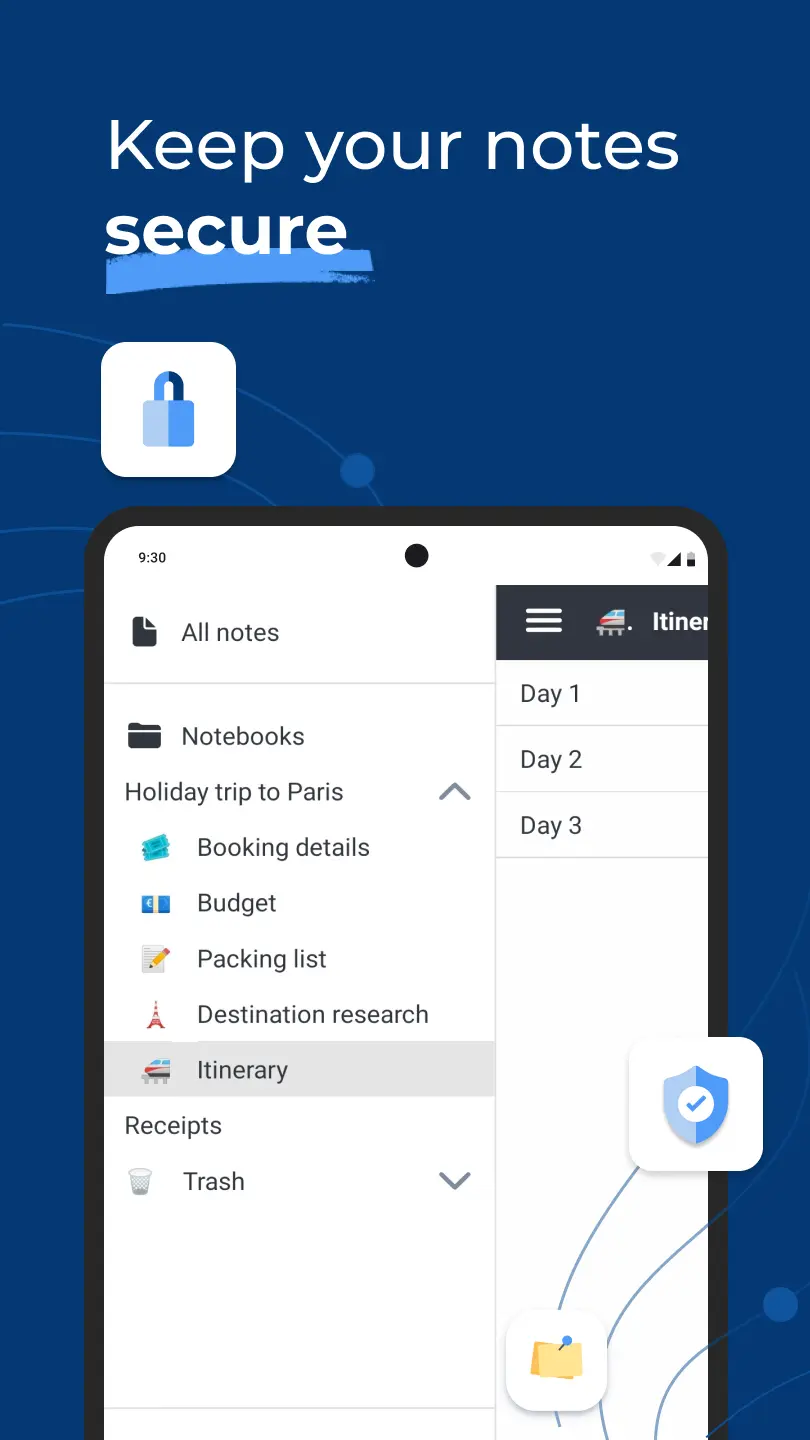
Joplin’s strongest differentiator is its privacy and security model. End-to-end encryption is built into the sync process at the core level — notes are encrypted on the device before leaving it, meaning that the sync provider and even Joplin’s own developers cannot access a user’s content. Combined with local file storage, open-source code that anyone can audit, and the absence of any mandatory account or subscription, Joplin is the most genuinely privacy-respecting option in this comparison. Its direct Evernote import capability also makes it one of the least disruptive migration paths for users leaving that platform.
Joplin’s limitations relate primarily to its interface and linking depth. The design is functional but noticeably less polished than Notion, Evernote, or Obsidian, and new users often find the setup process — particularly configuring sync — more demanding than expected. It supports note links and tags, but lacks the visual knowledge graph that makes Obsidian distinctive. Compared to OneNote, it has no freeform canvas; compared to Evernote, its web clipper is less capable; compared to Notion, it has no collaboration features or database structure.
Best suited for privacy-conscious users who want full control over their notes with end-to-end encryption, local file storage, and no dependency on a proprietary cloud platform — particularly those migrating from Evernote.
Adults Concerned About App Data Use
A 2024 survey by the Pew Research Center found that 26% of U.S. adults say they are very or somewhat concerned about how apps store and use personal data they collect. This concern is particularly relevant for knowledge management apps, where years of personal notes, research, and private thinking are stored in systems that users may not fully control.
26%
Obsidian Monthly Active Users in 2025
According to the app’s own published figures, Obsidian crossed 2 million monthly active users in 2025, a milestone that reflects the broader shift away from simple note-taking toward networked knowledge management. This growth coincided with bidirectional linking becoming a mainstream expectation rather than a specialist feature across the note-taking category.
2M+
Knowledge Workers Who Waste Time Searching for Information
A survey conducted by Redbooth and published in Harvard Business Review found that 73% of knowledge workers feel they spend too much time looking for information they have already encountered before. This is the core problem that knowledge management tools are designed to solve — not just capturing information, but connecting and retrieving it without effort.
73%
Notable Numbers
Choosing the App That Matches How Your Mind Works
Obsidian and Joplin sit at the privacy-first, local-first end of this group, with the strongest data ownership and the most control over where notes are stored. The difference between them is significant: Obsidian is built around linking and knowledge graph thinking, while Joplin is built around security and Markdown simplicity. Notion sits at the opposite end — cloud-based, collaborative, and structurally flexible, but with your data on someone else’s servers and a linking system that is secondary to its database model. OneNote is the most accessible entry point, free and freeform, with strong multimedia capture for visual thinkers. Evernote still leads on web clipping and OCR search, but its pricing and free tier restrictions have narrowed the case for choosing it over the alternatives.
The practical question when choosing is: what is the primary use this system needs to serve? A researcher who wants to build a connected knowledge base over years needs Obsidian. A team building shared documentation and workflows needs Notion. A user with handwritten notes and a Microsoft ecosystem needs OneNote. Someone leaving Evernote and prioritising security above all needs Joplin. These tools are not interchangeable, and choosing one that matches the actual use case is more important than choosing the one with the best feature list.
Good To Knows:
• Bidirectional linking — the ability to connect notes so that both notes know they are linked — is the feature that most clearly separates a basic note-taking app from a genuine knowledge management system. Obsidian and Joplin support it; OneNote, Evernote, and Notion support it to varying and more limited degrees.
• Data ownership varies dramatically across these five apps. Obsidian and Joplin store notes locally as plain text files that the user owns and controls. Notion and Evernote store data on their own cloud servers, which means access depends on the continued operation and pricing of those services.
• The visual knowledge graph in Obsidian — which shows all notes as interconnected dots — is not just a visual gimmick; regular users report that it reveals unexpected connections between ideas they would never have found by searching through folders.
• Evernote has undergone significant changes since its acquisition by Bending Spoons in 2023, including steep pricing increases and a free tier reduced to just 50 notes total. Users with long-established Evernote libraries should factor these constraints into any decision to continue or switch.
• Microsoft OneNote is completely free with a Microsoft account and has no note count limits, making it the most accessible starting point in this group — though it is less suited to building deeply interconnected knowledge systems than Obsidian or Joplin.
What Separates a Note-Taking App from a Real Knowledge System
• Obsidian’s graph view is genuinely functional, not just decorative: long-term users report that the visual map of their notes reveals clusters and unexpected connections between ideas that would never emerge from a folder-based search, making it one of the few note-taking features that actively changes how a person thinks.
• Notion’s database system — where notes can have structured properties, tags, and multiple views — gives it a form of flexible organisation that goes beyond what a traditional note app offers, though building this system requires significant setup time and the result can become hard to maintain.
• Evernote’s web clipper remains the most capable of the five for saving and searching web content — its OCR technology makes text inside images and scanned documents searchable, a feature that still sets it apart from most alternatives for content collection workflows.
• OneNote’s freeform canvas — which allows content to be placed anywhere on an infinite page, including handwritten notes, voice recordings, and file printouts — is the strongest feature in this group for users who think visually or take notes by hand on a tablet.
• Joplin’s end-to-end encryption is built in at the core rather than bolted on as an add-on, meaning that when sync is enabled, notes are encrypted on the device before they leave it — something none of the other four apps offer by default.
App Comparisons:
Apps 🠛
Linking & Knowledge Graph
Search & Retrieval
Privacy & Data Ownership
Obsidian
5/5
4/5
3/5
2/5
1/5
4/5
5/5
3/5
2/5
1/5
5/5
4/5
3/5
2/5
1/5
Notion

5/5
4/5
3/5
2/5
1/5
4/5
5/5
3/5
2/5
1/5
5/5
4/5
3/5
2/5
1/5
Evernote
5/5
4/5
3/5
2/5
1/5
4/5
5/5
3/5
2/5
1/5
5/5
4/5
3/5
2/5
1/5
Microsoft OneNote
5/5
4/5
3/5
2/5
1/5
4/5
5/5
3/5
2/5
1/5
5/5
4/5
3/5
2/5
1/5
Joplin
5/5
4/5
1/5
Related Science: ⮛
Related Gadgets: ⮛
Did You Get That?
What is bidirectional linking and why does it matter for knowledge management?
Bidirectional linking means that when you link one note to another, both notes register the connection automatically. This allows a knowledge base to surface related ideas from multiple directions, which is how Obsidian builds its graph view and how users discover connections they would never find by searching folders.
Is Evernote still worth using in 2025?
Evernote remains strong for web clipping and OCR-powered search, but its free tier has been reduced to just 50 notes total, and paid plans have risen sharply since the Bending Spoons acquisition. Users with established Evernote libraries and a content-capture-heavy workflow may still find it worth paying for, but it is difficult to recommend as a starting point when alternatives like Joplin and Notion offer more at lower or no cost.
What does “local-first” mean and why does it matter?
A local-first app stores notes directly on the user’s device rather than on a company’s cloud servers, meaning the notes remain accessible and usable regardless of internet connectivity, pricing changes, or the continued operation of the service. Obsidian and Joplin are both local-first; Notion and Evernote are not.
Can Joplin replace Evernote for existing Evernote users?
Joplin imports Evernote’s export files directly, preserving notes, tags, attachments, and metadata, making it the most technically straightforward migration path in this group. The main trade-off is that Joplin’s interface is less polished and its web clipper is less capable than Evernote’s.
Is Obsidian suitable for beginners or is it only for technical users?
Obsidian can be used in a basic way without technical knowledge, but unlocking its full potential — including plugins, graph view, templates, and custom workflows — requires time and a willingness to learn. Most reviewers suggest expecting several weeks before the system feels natural, which makes it less suited to users who want a tool that works out of the box.
Other Related Apps ⮛
Final Summary
These five apps cover the full spectrum of what knowledge management software can mean. Obsidian is the most capable tool for building a genuinely connected second brain, with bidirectional links, a knowledge graph, and complete data ownership at no cost for personal use — but its learning curve is real. Notion is the strongest all-in-one workspace for users who need notes, databases, and collaboration in a single tool, though linking is secondary to structure and data lives on Notion’s servers.
Evernote remains the leader for web clipping and OCR-powered search, but its post-acquisition pricing has made it difficult to recommend as a starting point, particularly for users who can get equivalent capture tools from Joplin or Notion at lower cost. OneNote is the best free option for visual and handwritten note-taking, and the natural fit for anyone already working within Microsoft 365. Joplin is the strongest choice for privacy-focused users who want local files, open-source code, and end-to-end encryption as the default rather than an optional add-on.
The most common mistake in choosing a knowledge management tool is picking the one with the most features rather than the one whose design philosophy matches how a particular person thinks and works. The best system is the one that gets used consistently, and that almost always means the one with the least friction for the specific type of thinking it needs to support.
Don't Know What to Choose?
Best app for building a connected long-term knowledge base: Obsidian
Obsidian’s bidirectional linking, visual knowledge graph, and local-first Markdown files make it the most capable tool for users who want to genuinely connect ideas over time and own their data completely.
Best app for privacy-focused note-taking with encryption: Joplin
Joplin’s built-in end-to-end encryption encrypts notes on the device before syncing, making it the most secure option in this group and a natural choice for users migrating away from Evernote.
Best app for free visual and handwritten notes: Microsoft OneNote
OneNote’s freeform canvas, OCR-powered search across handwriting and images, and zero-cost access across all platforms make it the strongest free option for users who think and capture information visually.
Share This Post With Others:


