


DockCase Explorer Edition USB-C Hub (10-in-1)
A multifunctional USB-C hub with smart display and dual 4K support
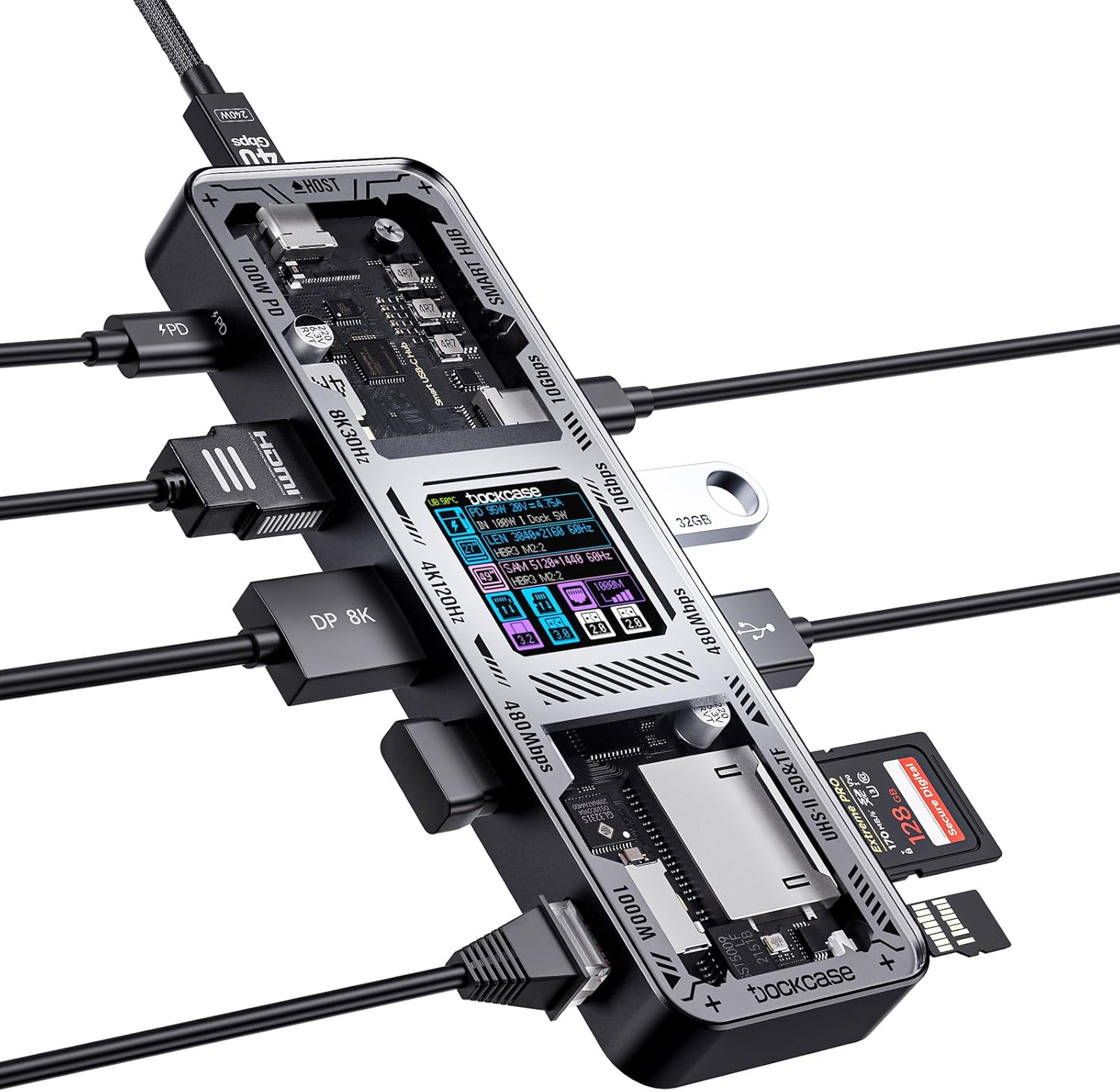
The DockCase Explorer Edition USB-C Hub is a 10-in-1 docking solution designed for modern laptops, tablets, and handheld devices. Built for those who need flexible connectivity in a compact form, this hub brings together power delivery, dual-display support, fast data transfer, and an interactive status screen in one premium device.
It includes a full array of ports; USB-C, USB-A, HDMI, DisplayPort, Ethernet, SD and microSD card slots, making it a powerful addition to any tech setup. With compatibility across Windows, macOS, and select mobile devices, it's well-suited for professionals, creatives, and gamers who demand versatility and reliability on the go or at their desk.

Work & Focus

Home & Living
Full Review & Insights ▼
The DockCase Explorer Edition sets itself apart with a transparent chassis and a built-in smart LCD display that shows real-time diagnostics for power, ports, and connections. This not only elevates the aesthetic but adds functional depth, helping troubleshoot connection issues or verify power throughput without guesswork.
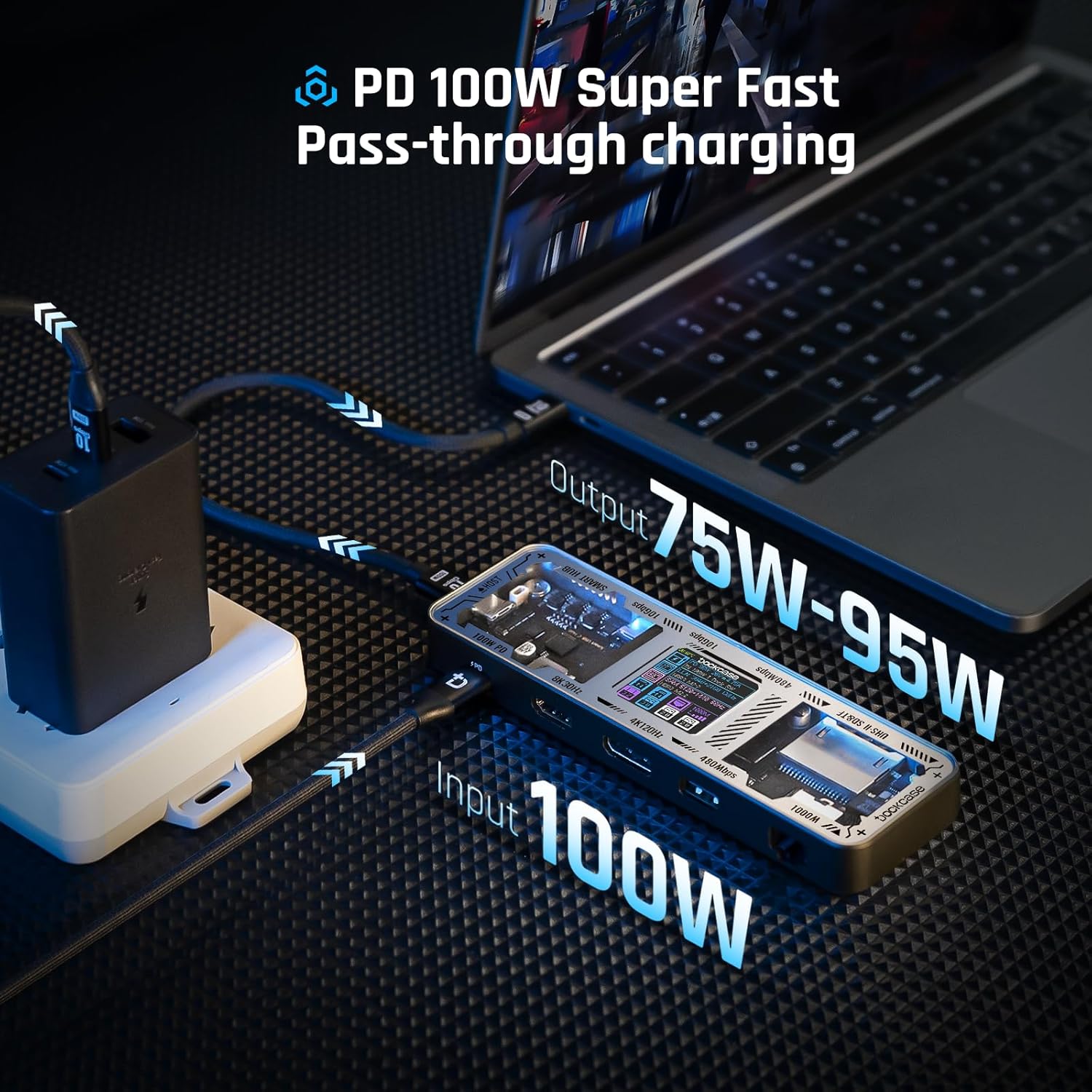
Its 100W PD input supports pass-through charging while maintaining hub functionality, delivering 75–95W to connected host devices. The HDMI and DP ports support up to 8K@30Hz for single displays, or dual 4K@60Hz when used together, depending on the connected device. While compatibility varies - macOS, for instance, limits extended dual-screen functionality - the hub manages this gracefully and provides stable performance within those constraints.
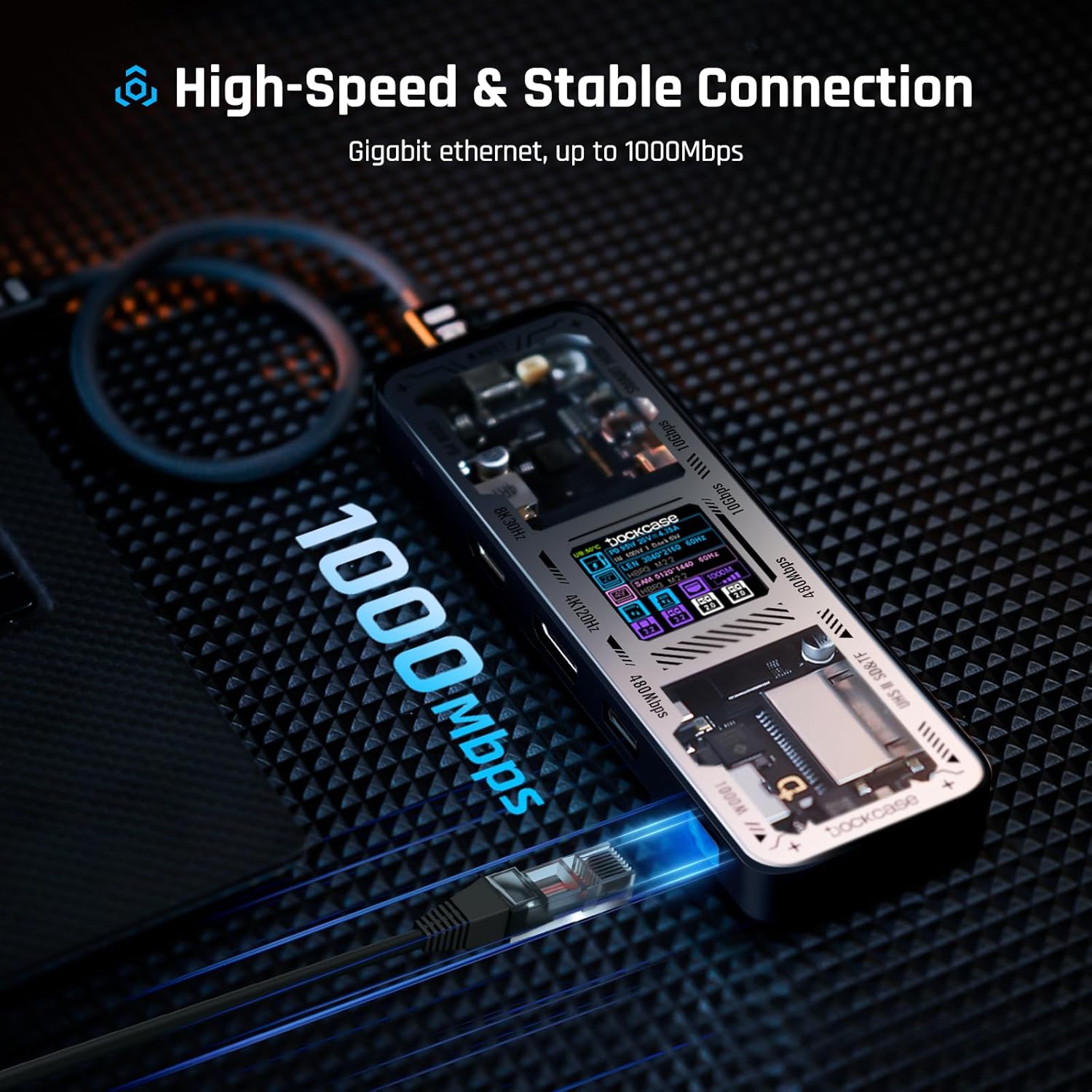
UHS-II card readers, 10Gbps USB ports, and gigabit Ethernet ensure quick file transfers and stable wired internet. The hub also performs well with bandwidth-heavy tasks, thanks to a balanced internal structure and passive heat management via its aluminum casing.
However, the menu navigation via the single-button interface is not intuitive and could deter first-time users. Build quality is solid, with an aluminum frame and rubber feet for grip. It’s slightly larger than other compact hubs, and although the cable is replaceable, some units include a poorly coiled cord that impacts connection stability.
Where it Falls Short
What We Love
✅ Excellent build with aluminum housing
✅ Smart LCD for real-time diagnostics
✅ Supports 8K and dual 4K output
✅ UHS-II card reader for fast media transfer
✅ 10Gbps USB-A and USB-C ports
✅ Replaceable USB-C cable
Where it Falls Short
❌ Single-button menu can be unintuitive
❌ Some units ship with poor-quality cables
❌ Ethernet port is upside-down
❌ No native dual-display on macOS
❌ Gets warm under load
Tech
Scientific Studies that Relate to this Gadget:
No Related Science Articles for this Gadget (yet)
↓ Applications & Real-World Use ↓
💻 Professional Desk Setup:
Ideal for office or creative workstations, this hub enables dual-monitor output, rapid file transfers, and reliable Ethernet, all through a single USB-C connection.
🎮 Gaming with Steam Deck or Switch:
Pairs effectively with the Steam Deck or Nintendo Switch for big-screen play and network stability. Display output and power pass-through make gaming smoother and more flexible.
📸 Media & Photography Workflows:
With its high-speed UHS-II card readers and USB 3.2 Gen 2 ports, the hub supports fast offloading of photos and videos, especially useful for photographers and video editors on the go.
🧳 Travel & Remote Work:
Compact and rugged, the dock fits easily in travel bags. Its display allows quick diagnostics when troubleshooting on the road, making it ideal for mobile professionals.
🖥 MacBook & iPad Productivity:
Boosts the utility of MacBooks and iPads by enabling connections to monitors, SD cards, and peripherals. Best for those who accept macOS’s dual-display limitations.
Build Quality & Materials
Aluminum: Outer shell and heat sink
Plastic (likely ABS): Inner structural components and transparent panel
Rubber: Non-slip feet for desk grip
Dimensions
Length: 15.2 cm (= 5.98 inch)
Width: 5.0 cm (= 1.97 inch)
Height: 1.6 cm (= 0.64 inch)
Our Take on the Product
The DockCase Explorer Edition USB-C Hub excels in connectivity, design, and functionality, making it a smart choice for professionals, digital creators, and gamers needing multiple I/O options in one unit. It performs reliably under heavy use and its diagnostic display adds meaningful value.
However, its lack of Thunderbolt support, macOS display limitations, and a somewhat unintuitive interface may not suit every workflow. It’s best suited to users who value control, adaptability, and premium construction, and less ideal for those seeking plug-and-play simplicity.

DID YOU GET ANY OF THAT?
Read a summarization of this page's content in question-answer format ▽ (click to open and collapse the content)
How does the LCD diagnostics display improve daily usability for a hub?
Real-time readouts reduce trial-and-error by confirming power delivery, port activity, and connection status at a glance. This is particularly useful when troubleshooting external displays or high-draw peripherals.
What does 100W PD input practically enable in a workstation setup?
Pass-through charging allows the hub to power the laptop while simultaneously running connected devices, reducing cable clutter. Delivering 75–95W typically supports sustained charging for many laptops during mixed workloads.
Why do display capabilities still depend on the host device?
Operating systems and hardware impose limitations on multi-display modes, especially on some macOS configurations. The hub can provide the ports and bandwidth, but the host controls how screens are extended or mirrored.
What is the main usability trade-off in the control interface?
Single-button navigation can make menu access slow and unintuitive, especially for first-time users. This adds friction to a feature meant to simplify diagnostics.
Explore Related Gadgets:

This review covers an Amazon product offered through affiliate links. Gadgifyr may earn a small commission if you buy — at no extra cost to you.

Seller:
Amazon
2PCS Neck Cooling Tube with Cold Insulated Bag
Reusable Wearable Ice Neck Ring Set with Insulated Carry Bag for Summer Heat Relief

This review covers an Amazon product offered through affiliate links. Gadgifyr may earn a small commission if you buy — at no extra cost to you.
Seller:
Amazon
SwitchBot Smart Switch Button Pusher
Bluetooth button pusher for rocker switches and one-way buttons with app timers and optional hub voice control
This review covers an Amazon product offered through affiliate links. Gadgifyr may earn a small commission if you buy — at no extra cost to you.
Seller:
Amazon
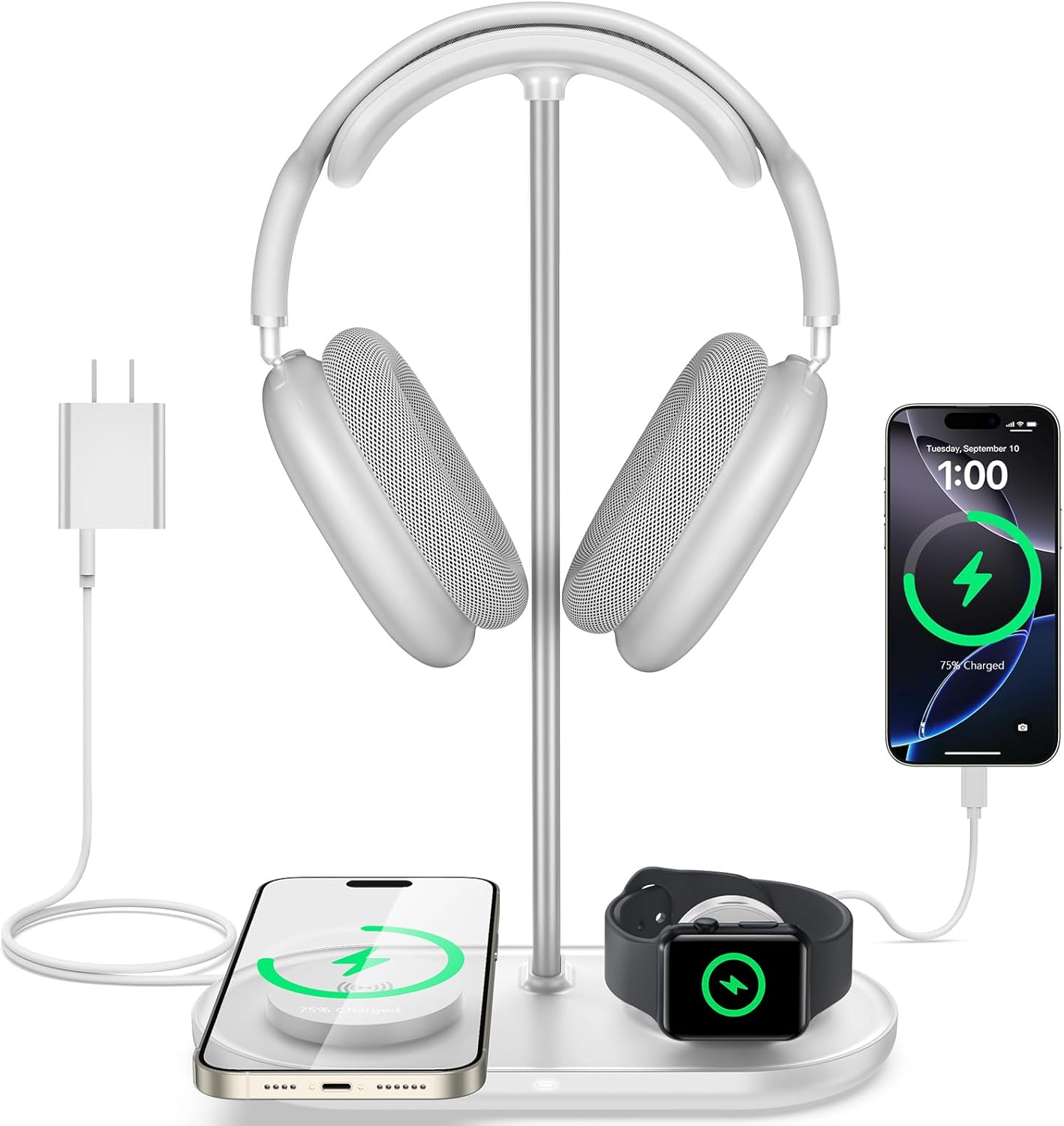
TopMade 5-in-1 Headphone Stand with Wireless Charger
Desktop headset holder with multi-device charging for phone, watch, earbuds, plus USB-C output

This review covers an Amazon product offered through affiliate links. Gadgifyr may earn a small commission if you buy — at no extra cost to you.
Seller:
Amazon
BenQ ScreenBar Pro LED Monitor Light Bar
Ultrawide USB-C monitor light with asymmetrical glare control and motion-based auto on and off

This review covers an Amazon product offered through affiliate links. Gadgifyr may earn a small commission if you buy — at no extra cost to you.
Seller:
Amazon
Ophaya Digital Smart Pen Smart Notebook and Writing Board Set (Syncpen + Notebook + Writing Board)
Smart pen set with real-time sync, OCR text conversion, and audio-linked notes in the Ophaya Pro+ app

This review covers an Amazon product offered through affiliate links. Gadgifyr may earn a small commission if you buy — at no extra cost to you.
Seller:
Amazon
BONTEC Wooden Monitor Stand Riser
Two-tier monitor riser with under-shelf storage, cable routing slots, and a built-in phone holder

This review covers an Amazon product offered through affiliate links. Gadgifyr may earn a small commission if you buy — at no extra cost to you.
Seller:
Amazon
JISULIFE Handheld Portable Turbo Fan (4000mAh)
Pocket-Size USB-C Rechargeable Fan with 5 Speeds


Curated Paths, Smarter Picks
Looking for something specific? Browse our categories or jump straight into the Gadgifyr shop for gadgets we trust enough to sell ourselves. However you explore, you’ll land on tools that actually help.


Explore Gadgifyr's Blogs:


Gadgifyr
March 9, 2026
-
7 min
Stay Cool Without Relying on AC: 5 Gadgets That Make Hot Summers Easier
Trying to stay comfortable through summer heat without blasting air conditioning? These five gadgets help with commuting, sleep, outdoor days, and quick cooldowns.
Category

Gadgifyr
March 19, 2026
-
8 min
The Science of Getting Things Done: A Practical, Brain-Based Guide to Real Productivity
A science-backed roadmap for improving focus, output, and wellbeing at home and at work by aligning habits and environment with how the brain truly functions.
Category

Gadgifyr
March 14, 2026
-
7 min
The Reality of Facial Structure: What Actually Improves Definition
Facial exercise can influence how the face looks - but only with consistency, realistic expectations, and the right tools. This guide explains what helps, what doesn’t, and how to start today.
Category

Gadgifyr
February 12, 2026
-
7 min
What plant-derived oils can realistically do for hair, sleep, mood, and everyday wellbeing
A science-based overview of essential oils, their biological mechanisms, diffuser and body use, hair and scalp applications, and how scent influences sleep, mood, and focus - without hype or unsupported promises.
Category
Stay Connected with Gadgifyr
Explore smarter. Support better. Whether you're curious, loyal, or just gadget-obsessed, here’s how to stay involved.